Division 27 vs Division 28: Who Pulls Data Centre Security Cable?
Division 27 vs Division 28 on a data centre: who pulls camera and access control cable, who owns the PoE ports, and where change orders start.
Key points
- Division 27 covers communications cabling and Division 28 covers security systems, and data centre specs split security cable between them in different ways.
- IP camera cable often follows Division 27 rules to a telecom room, while reader, lock and door cable runs to the access control panel under Division 28.
- Network switches often come from the owner's IT, so name who sizes the PoE budget, assigns VLANs and makes ports live before security commissioning.
- Copper runs to IP devices are commonly capped at 90 metres, so yard and roof cameras often need fibre, an outdoor switch or a remote cabinet.
- A one-line-per-cable responsibility matrix attached to the subcontract stops the same cable being priced twice or not at all.
You have a data centre or edge room spec open, and the bid-day questions are familiar. Has the cabling contractor priced the camera cable, has the security sub, or both? And who is buying the switches? On Division 27 vs Division 28, the short answer is that the spec decides. Often, IP camera cable follows Division 27 cabling rules back to a telecom room, reader and door cable runs to the access control panel under Division 28, and the switches come from the owner’s IT unless the documents say otherwise. Whatever the split, put one name beside every cable type and every port before award.
This piece covers how that split usually works, where it breaks, and a short check for your scope meeting.
What is the difference between Division 27 and Division 28?
Division 27, Communications, covers the cabling that moves data: copper and fibre cable, terminations, patch panels and patch cords. Division 28, Electronic Safety and Security, covers the systems that control and watch the building: access control, video surveillance and intrusion detection. On a data centre the two overlap, because cameras and many access control panels connect to the network, so the same cable can fit either division.
Both divisions come from MasterFormat, which the Construction Specifications Institute says is developed and maintained by CSI and Construction Specifications Canada. A Toronto owner standard shows the logic many specs follow. It was written for a university campus, not a data centre, but the split is the same. Toronto Metropolitan University’s Section 28 05 00 says security “involves proprietary wiring (except for IP devices)”. Non-IP device cable goes to the nearest security panel, and IP devices go to the nearest telecommunications room.
That sentence sums up the whole debate. Cable to a camera looks like data cabling. Cable to a reader, lock and door contact looks like security wiring.
Who pulls the camera and access control cable on a data centre?
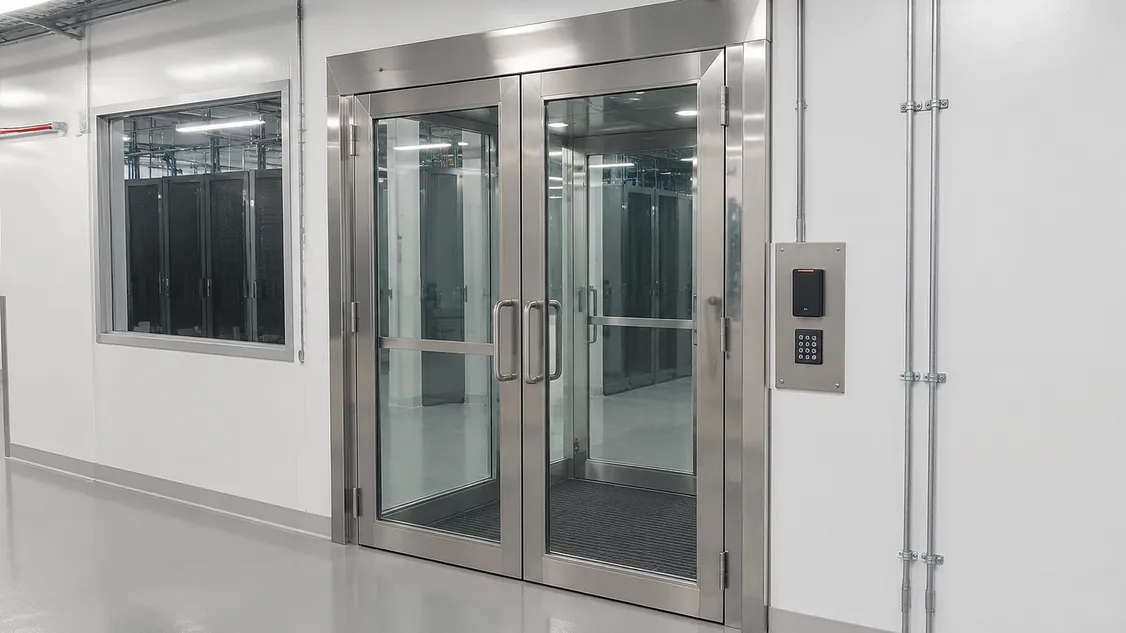
Whoever the spec names, and specs commonly split it two ways. Some put all security cable in Division 28, so the security sub pulls, terminates and tests it end to end. Others put IP camera cable in Division 27 as Category 6 to a patch panel, and leave reader, lock and door cable with security. Either works if each cable type has one installer who also terminates and tests it.
Read both divisions even when security carries the cable. TMU’s standard has its communications contractor pull Category 6 camera cable to 48-port patch panels. It also requires security installers to “adhere to all Division 27 specifications” for cable, terminations, patch cords and testing. So a security sub pulling camera cable is still pricing to Division 27’s rules.
| Item | Often sits in | Pin down before award |
|---|---|---|
| IP camera cable (Category 6 or 6A) | Division 27 or 28 | Who pulls, terminates and certifies it |
| Reader, lock, door contact and exit device cable | Division 28 | Cable type per door, run to the access control panel |
| Patch panels and patch cords for security ports | Division 27 | Port count reserved for security |
| Fibre to exterior poles or remote cabinets | Division 27 or 28 | Who supplies the fibre, switch and enclosure |
| Network switches and PoE | Owner IT, Division 27 or 28 | PoE budget, configuration, support after turnover |
| VLANs, IP addresses, firewall rules | Owner IT | Date ports go live |
| 120 V circuits and UPS for racks and cabinets | Division 26 (electrical) | A circuit for every cabinet that holds security switches |
The handoff point matters when something fails. Say a camera does not come up, and the cable, patch cord, switch port and camera belong to three different firms. The fault gets passed around while the commissioning date slides. When one firm owns the cable and the device back to the patch panel, that conversation gets much shorter.
Who owns the network switches and PoE ports?
Usually the owner’s IT team or the Division 27 contractor, with the security sub plugging into ports someone else configures. TMU’s standard says networking equipment for the security system “shall be provided by the owner unless otherwise noted in the design documents.” That works when four things have a name beside them: who buys the switches, who sizes the PoE budget, who assigns VLANs and IP addresses, and the date ports go live.
PoE (power over Ethernet) means the camera draws its power from the switch through the network cable. The Ethernet Alliance notes that IEEE 802.3bt raised the maximum power that switches and other power sourcing equipment can deliver from 30 to 90 watts, and the power available to devices to 71.3 watts. Exterior cameras with heaters or motorized lenses can draw far more than an indoor dome, so a switch sized for phones and access points can run short.
IT will also want a say in where cameras sit on the network. The Canadian Centre for Cyber Security lists networked security cameras as Internet of Things devices and advises “isolating IoT networks to restrict access with systems managing sensitive data.” Decide early whether security gets its own switches or a segment of the owner’s network. Our camera network segmentation guide covers the options.
The schedule risk is simple: the security sub cannot program cameras or controllers on ports that are not live. Put the port-live date in the schedule next to security commissioning.
What changes for cameras in the yard or on the roof?
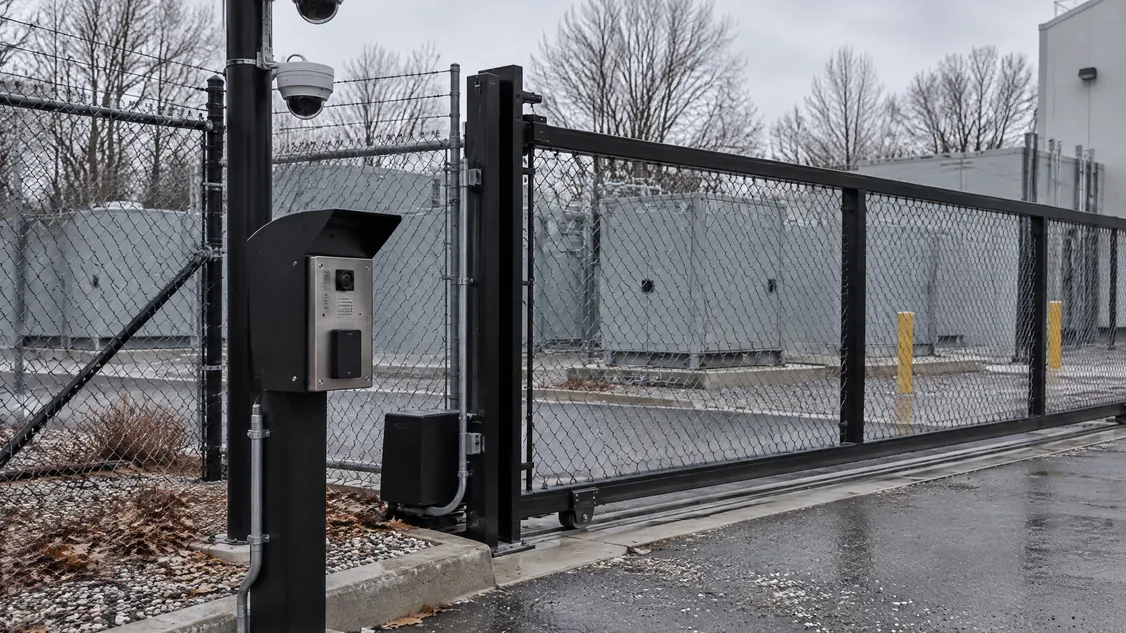
Copper network cable to an IP device has a length limit. TMU’s standard caps horizontal runs to IP devices at 90 metres, and the contractor must flag any run that cannot meet that limit before installation. Cameras on poles over an electrical yard or on a roof mast are often farther than that from the nearest telecom room, which typically means fibre, an outdoor switch or a remote network cabinet.
Each of those pieces needs a supplier, a power circuit, a pathway and an owner after turnover, and they cross Divisions 26, 27 and 28. Securitron’s 2026 work on a new Toronto data centre included pole-mounted dome cameras over the electrical switchgear yard, a rooftop mast camera, cameras and cabling inside, and a wall-mounted network cabinet. On jobs with exterior cameras like these, settle the network path at the scope meeting, before the pole bases are poured.
Where do Division 27 and 28 gaps become change orders?
Cabling change orders on a security package typically come from items that each trade assumed the other carried, or that both carried. One short scope meeting can catch them, with the estimator, the electrical contractor’s PM, the cabling contractor and the security sub in the room. Go through these questions against the drawings and both specification divisions.
- Is camera cable priced in Division 27, Division 28, or both?
- Who supplies patch panel ports and patch cords for security? (TMU asks for two patch cords per camera cable.)
- Who supplies the switches, and who has checked the PoE budget against the camera schedule?
- On what date do security ports go live, and is it before security commissioning?
- Who carries fibre, outdoor switches and cabinets for yard and roof cameras?
- Who certifies the cable, and whose labelling scheme applies? TMU requires labels to TIA-606 and to the owner’s own scheme.
- Does every cabinet holding security switches have a circuit and UPS from electrical?
Write the answers into a responsibility matrix with one line per cable type, and attach it to the subcontract. The rest of the security package (door hardware, rough-in, fire alarm interface) is covered in our guide to Division 28 on a data centre.
How do you bring Securitron in on the cabling and security scope?
Securitron has installed cameras, access control, intrusion alarms and structured cabling across the GTA since 2008. That means we can carry the security cable and the devices in one package and test them to the same point. Add Securitron to your bid list for Division 28, and for any security cable the spec places in Division 27. Send us the drawings with the Division 26, 27 and 28 sections and any network notes. We will mark who carries each cable and port before bid day. Our data centre page and network and data wiring service show the work involved.
Frequently Asked Questions
Yes, if the bid documents allow it. Many specs let the security sub pull its own cable to Division 27 standards, or let one firm carry the security cable and the devices together. The benefit is one party responsible from the device back to the patch panel when a camera does not come up at commissioning.
The firm that installs and terminates it, to the testing rules in the spec. Toronto Metropolitan University's standard, for example, requires copper links in the security installation to be tested to ANSI/TIA-568 field test specifications, with test results and as-built drawings provided before job acceptance. Those results belong in the closeout package.
Not at each camera, because the switch sends power down the network cable. The switch, rack or cabinet still needs a circuit, and typically UPS backup, from the electrical contractor. Check the camera schedule against the switch's PoE budget so the circuit and UPS are sized for it.
CSI lists Division 28, Electronic Safety and Security, among the divisions with noticeable expansion in MasterFormat 2026, and Division 27, Communications, among those that stayed largely stable. A spec written to the 2026 edition may number security sections differently from older jobs, so check section numbers before reusing a scope sheet.
Securitron installs and services cameras, access control and alarms across the Greater Toronto Area and Hamilton, from our head office in Hamilton. That includes Toronto; Mississauga and Brampton in Peel; Vaughan, Markham and Richmond Hill in York Region; Oakville, Burlington and Milton in Halton; Pickering, Ajax, Whitby and Oshawa in Durham; and Hamilton, Guelph and Kitchener. For a job elsewhere in Ontario, call (905) 730-2425 to check.