What Goes in a Data Centre Security Service Contract After Handover?
What a data centre owner should put in the security service contract after handover: coverage, response, licences, remote access, reports and exit.
Key points
- Under CCDC 2 (2020) the construction warranty runs one year from Ready-for-Takeover, so start the security service contract on that day.
- Write response, attendance and restoration as separate clocks, with priority set by what each failed door or camera means for your site.
- Register software licences and administrator accounts in the owner's name, and give the service provider only the access its work needs.
- Put the exit clause in on day one: configuration backups, device list, drawings, licence records and service history handed over if the contract ends.
- Ask for a quarterly service report, because tenants and their auditors are likely to ask you for evidence that the system works.
Your data centre reaches Ready-for-Takeover, the contractor hands over the keys, and a one-year clock starts. Under CCDC 2 (2020), the contractor fixes defects that appear in that year at its own expense. That is how CCDC’s 2025 bulletin on construction warranties describes it, and then the warranty ends while your cameras, readers and alarm panels keep running for years.
A data centre security service contract is what covers those years after handover. It should name every device it covers, set separate clocks for response and repair, and say who pays for labour and parts. It should also keep software licences and admin accounts in your name and control how the provider connects remotely.
Finally, it should give you a report you can show tenants, and let you leave with your data and drawings if you ever need to. Here is what each part looks like for an owner buying one for the first time.
What should a data centre security service contract include?
A data centre security service contract should list the covered equipment and define response and restoration times. It should say what the fixed fee includes, who pays for parts and labour, and how software, licences and remote access are handled. It should also require a regular service report and spell out what you receive if the contract ends.
Attach the as-built device list from closeout, so the price is tied to what is actually on your walls. Our closeout guide lists what that package holds. The table below is the version you can bring to the meeting where you compare proposals.
| Clause | What to write in | Why it matters to you |
|---|---|---|
| Covered equipment | The closeout device list, by location, model and software version | A price for “the system” invites arguments later about what was included |
| Response and restoration | Separate targets for answering, arriving and fixing, set by priority | A quick phone call leaves a data hall door that won’t lock exactly as it was |
| Preventive maintenance | Which devices are checked, how often, and the record you receive | Faults found on a planned visit cost less than faults a tenant finds first |
| Parts and labour | What the fee includes, after-hours rates, lifts and parts markup | Warranty replacements still need a technician to take down and put up |
| Software and licences | Who renews them, in whose name, and on what dates | Renewal dates are easy to miss once the general contractor has left |
| Remote access | How the provider connects, who approves each session, and how it’s logged | The provider is touching your network, so your rules apply |
| Reports | A quarterly summary of tickets, times met, open items and offline devices | Tenants and their auditors are likely to ask you for this evidence |
| Exit | Backups, device list, drawings, licence records and service history | Keeps your choice of provider open at every renewal |
Our commercial security service agreement checklist goes clause by clause, with the questions to ask each bidder.
Doesn’t the construction warranty already cover the first year?
The construction warranty covers defects in the work, such as a camera that fails or a cable that was terminated badly. A first year also brings ordinary work the warranty leaves out: adding staff to the access system, new door schedules for a tenant, moving a camera or training a site manager. Start the service contract on Ready-for-Takeover day, so warranty and service run side by side, and say in writing which visits fall under each.
Manufacturer warranties last longer and cover less. Axis, for example, gives a 5-year limited hardware warranty on most of its hardware. Its replacement service covers “the cost of the repair or replacement of defective products only,” and shipping and customs are excluded.
CCDC’s bulletin says the same of product warranties in general. They usually cover the product itself, while removal, reinstallation and the labour involved are left out.
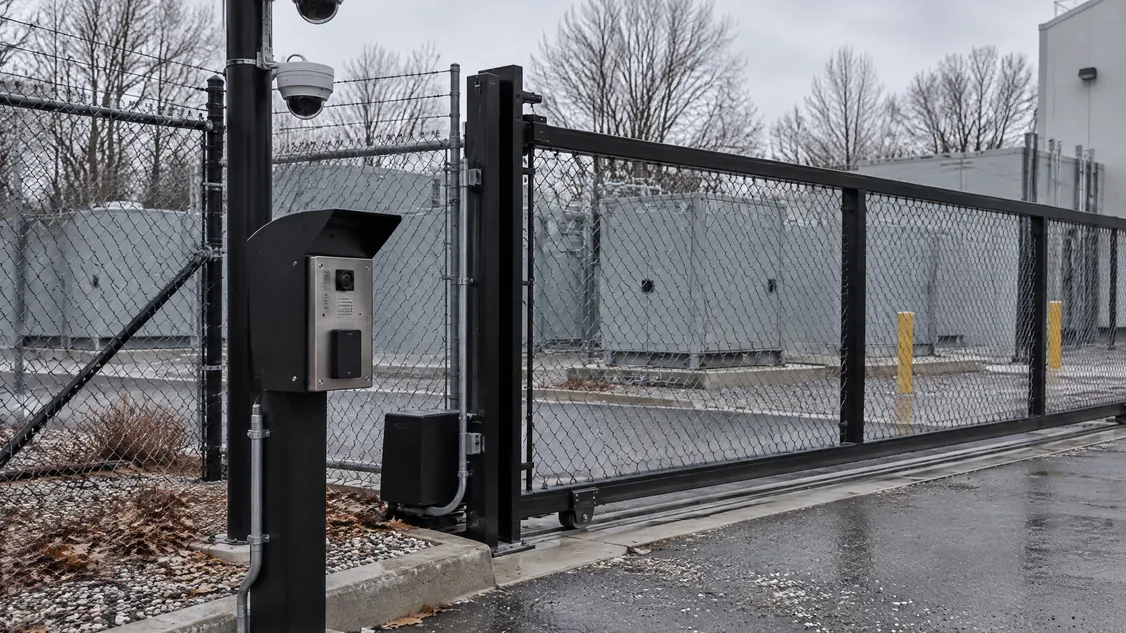
So the contract should say who takes a failed camera down, ships it, mounts the replacement and tests it. It should also say whether that time is inside the fee. A dome camera on a pole over the switchgear yard or a camera on a roof mast can need a lift and an escort, and both belong in the price.
What response times should a data centre owner ask for?
Ask for three separate times: how fast someone acknowledges the call, how fast a technician arrives, and how fast the function is restored. Set priority by consequence, so a data hall door that won’t lock or a recorder that has stopped recording gets the shortest clock. A single exterior camera with a blurry view can wait for the next business day.
The targets depend on what you’re willing to pay for and how far the technician travels. The main drivers are after-hours coverage, the distance from the provider’s shop, and whether common spares sit in a locked cabinet on your site. A technician who arrives with the reader, power supply or camera already in hand has nothing to wait for.
Write down what stops the clock, too. A technician waiting for an escort, or for your IT team to open a switch port, shouldn’t count as late. The provider should record every pause and the reason, so the quarterly report shows which times were met and which weren’t.
Who should hold the passwords, licences and video after handover?
The owner should hold them, with software licences and maintenance agreements registered in the owner’s name. Keep the top-level administrator accounts inside your organization, and give the service provider named accounts with only the access its work needs. The Canadian Centre for Cyber Security puts it in one line: “Your organization is the data owner and is legally responsible for data security.”
That Cyber Centre guidance (ITSM.50.030) was written for managed IT services. It says providers “should only have the access that enables them to effectively manage their services.” The service contract is where you write that down: how the provider connects remotely, who approves each session and how sessions are logged.
Your video and access logs also hold personal information about staff, tenants and visitors. New guidance from the Office of the Privacy Commissioner of Canada notes that PIPEDA Principle 4.1.3 requires organizations to use “contractual or other means” to protect personal information a third party handles. The OPC is taking comments until December 4, 2026, so check the final text and ask your lawyer which privacy law applies to your site.
Software and firmware also age, on a schedule the manufacturer sets. Axis supports its management software for 3 years after a product is discontinued, and its device software for at least 5 years. Ask the provider to keep a version list and warn you before anything on your site reaches end of support.
How do you keep the freedom to change providers later?
Write the exit into the contract on day one. If the contract ends, the provider hands over current configuration backups, the device list, as-built drawings, licence and warranty records and the service history. Then it removes its remote access, and you can bring in whoever you choose without starting from nothing.
A provider who expects to keep your business has no reason to resist that clause. It means you stay because the service works.
Both federal sources make the same point. The Cyber Centre says your organization “should consider an exit strategy, in case the need arises, when entering a service contract.” The OPC suggests “contractual guarantees for data portability” to limit vendor lock-in, which is easier when more than one dealer can service your platforms.
How do I bring Securitron in for service after handover?
Securitron has installed and serviced cameras, access control, intrusion alarms, intercom, structured cabling and monitoring across the GTA since 2008. If you’re still building, name Securitron as the security installer in your general contractor’s tender, and ask for our service proposal at the same time so it’s ready on Ready-for-Takeover day. If your site is already running, you can hire us directly.
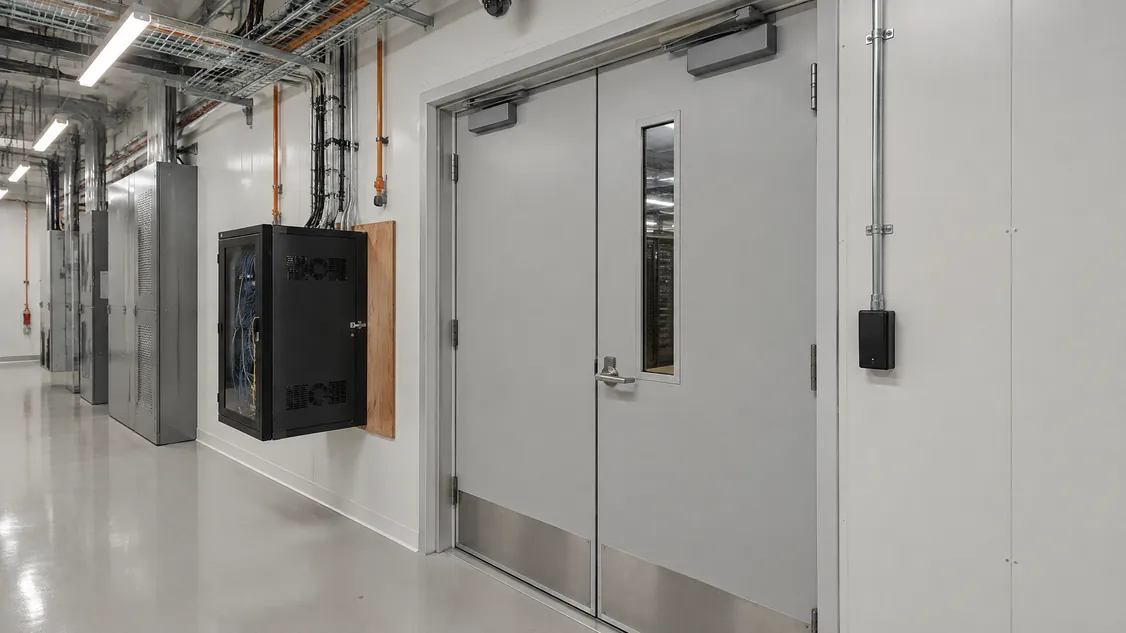
Our guide to hiring a data centre security installer explains both routes. In 2026 we installed the security on a newly built Toronto data centre: pole-mounted dome cameras over the switchgear yard, a rooftop mast camera, interior cameras and cabling, and a wall-mounted network cabinet. Our data centres page shows that kind of work.
Book a site walk-through, or send us your closeout device list. We’ll price a service plan against what is on your walls.
Frequently Asked Questions
It often makes sense, because the installer that built it already holds the as-builts, programming and device list, so service starts without a learning curve. It also puts warranty work and service calls with one firm, which avoids arguments over whether a fault is a defect or a service call. Keep the exit clause anyway, so you stay because the service is good.
A first term that matches the one-year construction warranty works well for a new site, because you renew after seeing a full year of service reports. Line the renewal date up with software maintenance and licence renewals so nothing lapses in between.
No. Monitoring means a monitoring station receives alarm signals and acts on them using your call list, while the service contract keeps the cameras, doors and alarm equipment working. Buying both from one company means a failed alarm communication path becomes a service ticket without a hand-off between firms.
Usually the owner, on top of the fixed fee, because new readers, moved cameras and tenant cage changes add to the system and fall outside a repair contract. Put a rate schedule and an approval threshold in the contract so small changes go ahead quickly and larger ones come to you with a quote first.
Securitron installs and services cameras, access control and alarms across the Greater Toronto Area and Hamilton, from our head office in Hamilton. That includes Toronto; Mississauga and Brampton in Peel; Vaughan, Markham and Richmond Hill in York Region; Oakville, Burlington and Milton in Halton; Pickering, Ajax, Whitby and Oshawa in Durham; and Hamilton, Guelph and Kitchener. For a job elsewhere in Ontario, call (905) 730-2425 to check.