Data Centre Security: What Should Owners Decide Before Design?
Data centre security decisions to make before design starts: doors, yard cameras, platforms, network and power, and why late changes cost owners more.
Key points
- Before design starts, settle who installs security, the door list and lock types, yard camera coverage, platform ownership, and security network and power.
- Research described by the OGCA's president found a $100 pre-design error could cost $1,000 in design and $10,000 once construction starts.
- Maglocks on exit doors tie into fire alarm drawings, testing and signage, so lock types belong in the first door schedule.
- With Ontario's Data Centre Playbook still a draft, design security for the full site and build it hall by hall.
- Bring the security installer in before design, either hired directly for a review or named in the general contractor's tender.
If you’re taking your first data centre into design, settle the security decisions that move lines on drawings before design starts. That means choosing who installs the security, which doors get card readers and how each one locks. It also means how far cameras reach across the fence and power yard, which platforms you’ll own, and where security gets its network and backup power.
Late decisions cost more because other trades have already drawn, priced, ordered or built around the old answer. There is a well-known Ontario number for this.
At a Buildings Show panel, Ontario General Contractors Association president Giovanni Cautillo described research presented by the Construction and Design Alliance of Ontario. In his words, an error that costs $100 to address in pre-design “could cost $1,000 to address during the design phase and $10,000 during the commencement of construction,” a hundredfold jump. Ontario Construction News reported the panel and the research behind it.
You may have that pre-design time right now, whether you wanted it or not. Ontario posted its Data Centre Playbook proposal for comment on August 13, 2026. The Ministry of Energy and Mines estimated that data centre connection proposals could total more than 10,000 MW.
For perspective, the province’s recent peak demand has been about 25,000 MW. If your project is waiting on a power answer, those months are the cheapest time you’ll get to settle security.
Which security decisions should a data centre owner make before design starts?
Before design starts, a data centre owner should settle the decisions that fix where conduit, power, doors and camera poles go. Choose who installs the security, set the camera plan for the perimeter and yard, and write the door list with its lock types. Pick the camera and access control platforms you will own, and decide how security connects to the network and to backup power.
Tenant choices such as cage access and record retention change the same drawings. Our guide to what tenants will expect you to prove covers them.
The table shows what each of the other decisions fixes, and what deciding it late typically means for your budget and schedule.
| Decision | What it fixes on the drawings | What deciding late typically means |
|---|---|---|
| Who installs security | Who marks up the drawings and prices them before tender | An allowance or a guess in the GC’s price, then a change order once the design firms up |
| Perimeter and yard cameras | Pole locations, pole bases and underground conduit to the fence line and switchgear yard | Trenching or saw-cutting after paving and landscaping are done |
| Door list and lock types | Door hardware groups, factory door prep, power supplies, fire alarm tie-ins | Reordered doors or hardware, field prep, revised fire alarm drawings |
| Platforms and licences | Server and storage sizing, licence counts, who holds the licence codes | Paying to migrate later, or depending on one dealer for service |
| Network and power for security | Switch ports, rack space, UPS or generator-backed circuits | New circuits and cable after ceilings close |
| Room for future phases | Spare conduit, panel capacity and head-end space for later halls | Opening finished walls and ceilings in an operating building |
Why do late security decisions cost more on a data centre?
Late security decisions cost more because security sits inside other trades’ work, from the civil contractor’s trenches and the door supplier’s factory prep to the fire alarm designer’s drawings. Decided early, each choice is a note on a drawing. Decided after those trades have priced, ordered or built, it becomes a redesign, a reorder and a change order, often with a delay attached.
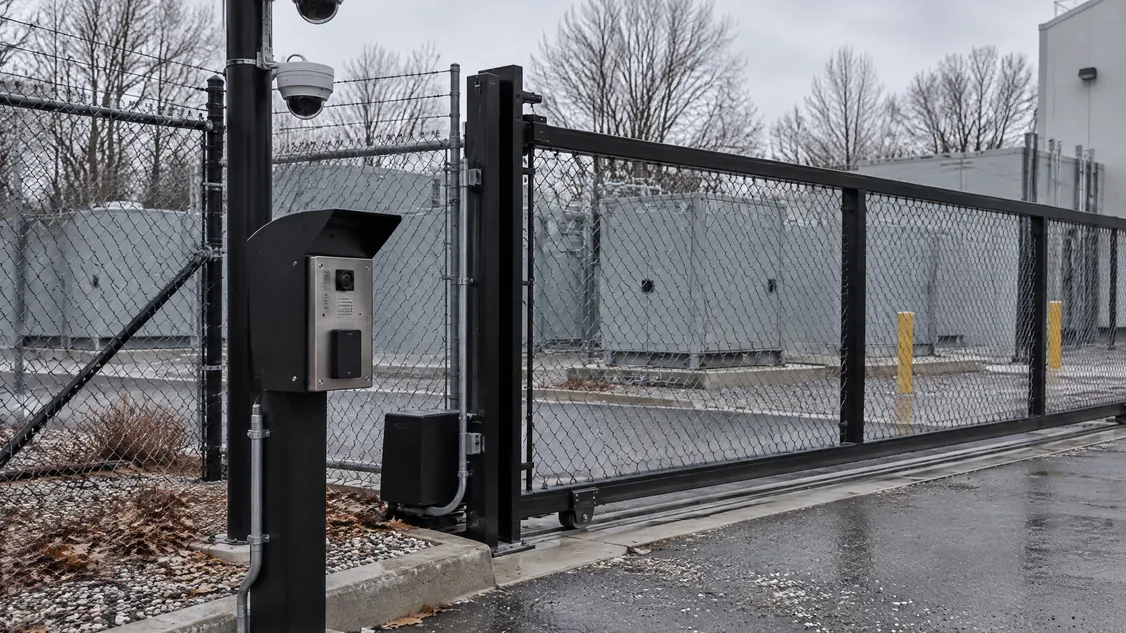
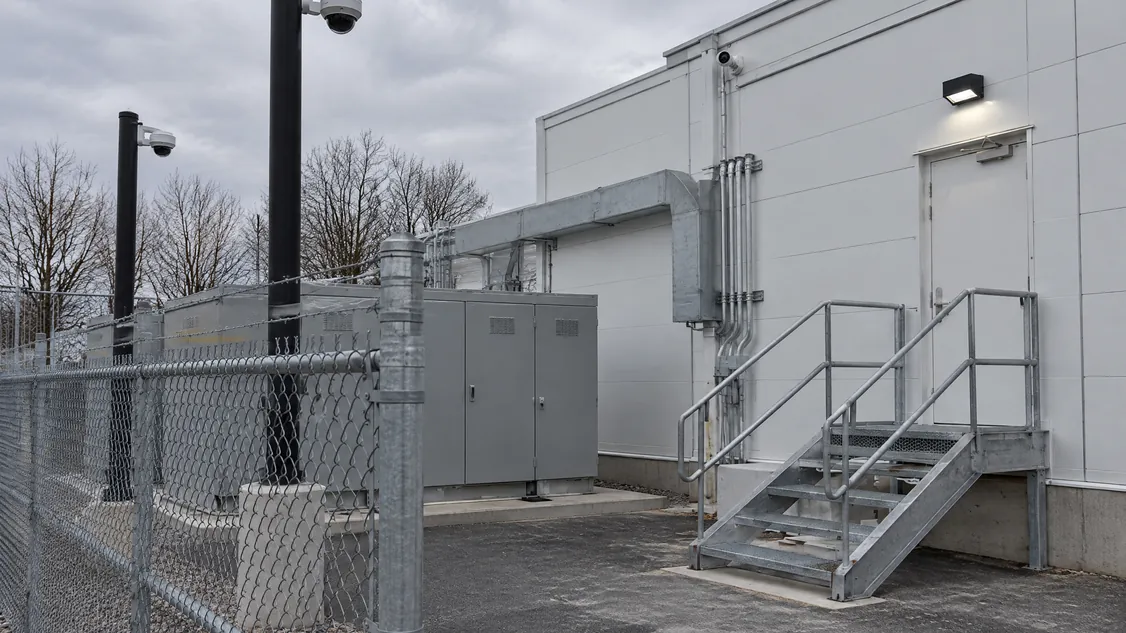
Think of a camera pole in the switchgear yard. Before paving, its base and conduit are a line on the civil drawing. After paving, they typically mean a saw-cut, a patch and a crew working around live electrical gear.
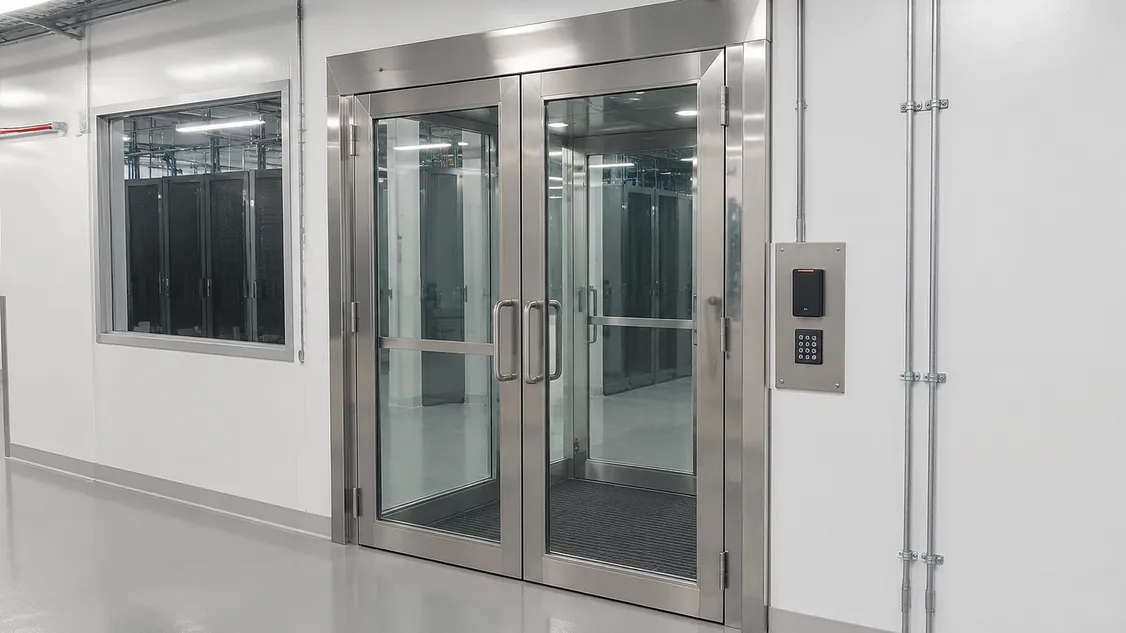
Doors are usually where it shows first. A data centre door can carry a card reader, an electrified lock, a door contact and a fire rating at once. Design firm TEECOM recommends factory prep for electrified hardware that needs an alarm contact.
Done in the field, the firm warns, it “can ruin the door fire rating” of the opening. A late change to a rated door can mean a new door and a new lead time.
Maglocks reach further still, because a lock on an exit door has to release when the fire alarm sounds. The City of London’s maglock permit guide is written for the 2024 Ontario Building Code.
It asks for fire alarm drawings sealed by a professional engineer licensed in Ontario, and installation to CAN/ULC-S524-19. It also asks for signs reading “EMERGENCY EXIT UNLOCKED BY FIRE ALARM” and an integrated systems testing form.
Toronto and other GTA cities use their own forms. Still, a maglock added late typically pulls the architect, the fire alarm designer and the inspector back to a door everyone thought was finished.
Our article on who supplies and wires electrified door hardware explains how that work splits between trades.
Power works the same way, and one large owner’s standard shows how specific it gets. The University of British Columbia’s door hardware guideline from November 2025 says “all electrified openings must have a dedicated power supply circuit,” and its power supplies need battery backup.
Those circuits are easy to add while the electrical engineer is drawing panel schedules. Once panels are set and ceilings are closed, they are slow and disruptive to add.
Software follows the same pattern, because licences are counted per device. Milestone’s XProtect getting-started guide says that, as a rule, you need “one device license per hardware device with a camera” on the system. It also tells you to register the software licence code, noting “your reseller may have done that for you,” which is why you should ask whose name is on it.
Decide now that licences cover the full build and are registered to your company. That keeps the choice of who services the system with you.
How does Ontario’s data centre approval process affect your security plan?
Ontario now holds the final say on which large data centres connect to the grid. The Data Centre Playbook that will guide those decisions was still a draft when its comment period closed on September 12, 2026. For your security plan, that often means designing for the full site while building in phases, so the expensive parts are done once and each new hall connects to them.
The authority comes from Bill 40, which received Royal Assent on December 11, 2025. Its short title is the Protect Ontario by Securing Affordable Energy for Generations Act, 2025.
Under it, government has “the final decision on which large-load projects are permitted to connect to the province’s electricity grid, including data centres,” according to the province’s Playbook backgrounder.
The draft’s second pillar says data centres should “safeguard and advance Ontario’s security and cybersecurity objectives,” and it prefers them to be Canadian-owned and operated. The draft sets no rules for cameras or doors. Still, a written security plan made before design can help you answer that pillar if your project is assessed.
If you’re approved for less power than you hoped, or in stages, you’ll likely build fewer halls first. Ask for a security design that covers the whole site, with the head-end room, main pathways and perimeter built once. Spare conduit, panel space and licence capacity can then wait for the next phase.
Who should make these security decisions with you?
You make the calls, ideally with your owner’s rep, architect, electrical engineer, IT lead and security installer at the same table. The installer will build and service the system. Bringing them in before design means the people who price the doors, poles and circuits are the same people who service them after turnover.
You can hire the installer directly for a pre-design review, or name them in the general contractor’s tender. Our guide to hiring a data centre security installer explains both routes. Bring these questions to the first meeting.
- Which doors need a card, and which need a card plus PIN or biometric?
- Will any exit door use a maglock, or will electrified locks and exit devices do the job?
- How far out do cameras need to see: building face, fence line, gate, switchgear yard?
- Who will hold the licence codes and admin passwords at turnover?
- Does security get its own network switches and UPS, or share with IT?
- What gets built in phase one, and what waits for the next power approval?
How do you bring Securitron in before design starts?
Hire Securitron directly for a pre-design security review, or name Securitron as the security installer in your general contractor’s tender. Either way, we’ll mark up your site plan and floor plans, list what we carry and what other trades need to provide, and price the work. That way, the decisions above get made while they’re still notes on a drawing.
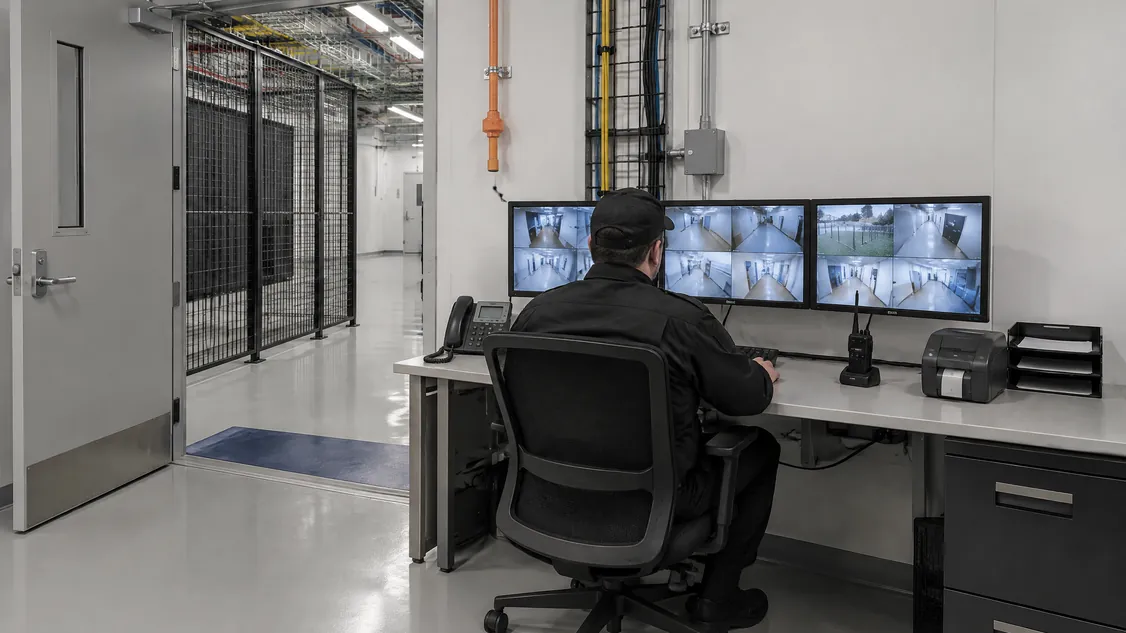
Securitron has installed and serviced cameras, access control, intrusion alarms, intercom, monitoring and structured cabling across the GTA since 2008. In 2026 we installed the security on a newly built data centre in Toronto. That job included pole-mounted dome cameras over the electrical switchgear yard, a rooftop mast camera, cameras and cabling inside, and a wall-mounted network cabinet.
You can see the kind of work involved on our data centre page. The next step is small: send us your site plan and whatever drawings you have, or book a site walk-through. We’ll come back with a security scope you can design around.
Frequently Asked Questions
Ideally at schematic design, before the door hardware schedule is written and before site civil drawings go out for pricing. At that stage pole bases, conduit runs, door prep and dedicated circuits can still be added as notes. If design is further along, a review still helps, because it catches gaps before tender instead of after award.
Not in the draft released on August 13, 2026. It assesses projects on economic development, data security and digital sovereignty, and community benefits, and it names no cameras, doors or card readers. The rules for your doors and locks come from the Ontario Building Code, your municipality's permit process and the leases you sign with tenants.
Yes, many security systems are added or expanded after turnover. Expect surface-mounted conduit or opened ceilings, door hardware swaps, and new permit and testing steps for any maglock on an exit door. Work inside an operating building also needs escorts and change windows, which slows crews, so pathways and spare capacity planned during design keep a later addition small.
Send the site plan, any floor plans and door schedule, your phasing plan and a note on the tenants you are targeting. Add a draft lease security schedule or tenant requirements list if you have one. Partial drawings are fine, because the point is to settle decisions before the design is fixed.
Securitron installs and services cameras, access control and alarms across the Greater Toronto Area and Hamilton, from our head office in Hamilton. That includes Toronto; Mississauga and Brampton in Peel; Vaughan, Markham and Richmond Hill in York Region; Oakville, Burlington and Milton in Halton; Pickering, Ajax, Whitby and Oshawa in Durham; and Hamilton, Guelph and Kitchener. For a job elsewhere in Ontario, call (905) 730-2425 to check.