Creating a Spare-Parts Strategy for Commercial Security Systems
Decide which commercial security spares belong onsite, with a service provider or in a migration plan using failure impact, lead time and compatibility.
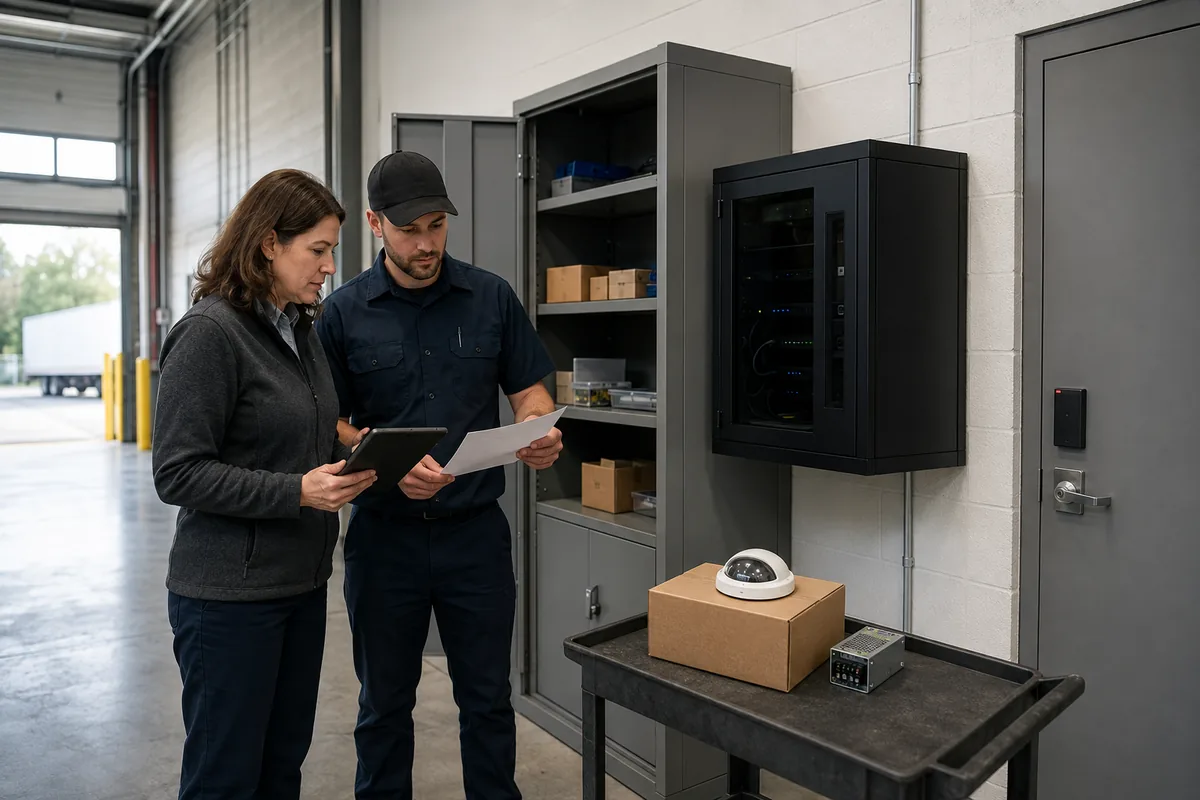
A failed door controller, recorder or network switch can leave a commercial property with an unlocked process, missing video or staff relying on a manual workaround. The customer outcome is straightforward: restore the important security service within an acceptable time while avoiding shelves full of expensive parts that may never be usable.
Use four tests for every proposed spare: failure consequence, total restoration time, proven compatibility and remaining support life. Keep a part onsite when its absence would create an unacceptable operational gap and normal supply cannot meet the required restoration time. Use contractually reserved provider stock, a loaner or a verified local substitute when those routes meet the same requirement. Move unsupported equipment into a funded migration plan once spare stock could only restore an unsupported state.
This framework turns a parts list into a customer-controlled recovery decision.
What outcome should a spare-parts strategy protect?
The strategy should protect a named business workflow, such as admitting authorized staff, securing a loading entrance, recording a critical area, communicating with a visitor or sending an alarm to the approved responder. Start with the service, then identify the components whose failure could interrupt it.
For each service, facilities, security, IT and operations should agree on:
- the operational consequence if the service is unavailable;
- the longest outage the organization is prepared to accept;
- the safe temporary procedure and the person authorized to activate it;
- the people, tools, access and information required for restoration; and
- the evidence that will prove the workflow is working again.
These are organization decisions. A vendor can help expose dependencies and likely lead times, while the customer decides which interruption is acceptable. A camera overlooking a secondary area may tolerate normal delivery. A controller serving a high-consequence entrance may justify a tested onsite unit, provided a technician can install and configure it safely.
The broader security system lifecycle planning guide helps place spares beside maintenance, support and renewal costs. Use this article for the narrower stocking decision.
Which failures deserve an onsite spare?
An onsite spare earns its place when it materially reduces the customer’s restoration time for a consequential failure. Score the decision with evidence. Stocking one of everything creates cost without proving recovery.
| Decision factor | Customer question | Evidence to record |
|---|---|---|
| Failure consequence | What access, monitoring, evidence or response workflow is lost? | Affected doors, views, zones, users, hours and approved workaround |
| Required restoration time | How long can that workflow operate in its degraded state? | Customer-approved recovery objective and escalation owner |
| Total restoration time | How long will diagnosis, authorization, delivery, travel, installation, configuration and testing take? | Service procedure, supplier lead time and representative exercise |
| Compatibility confidence | Will the exact unit work with the installed hardware, software, licences and configuration? | Model, revision, firmware, integration record and bench-test result |
| Support horizon | Will the spare restore a supported and securable state? | End-of-sale, end-of-support, update and replacement dates |
| Demand and replenishment | Could several sites or devices need the same part before stock is replaced? | Installed quantity, failure history, environmental exposure and replenishment route |
Do not convert this into a generic scoring formula that hides the consequence. A low-cost power module may be essential if it has no safe bypass and serves several doors. A costly camera may remain a routine-order item if overlapping coverage and local supply satisfy the approved outage tolerance.
Candidate categories often include power supplies, controller modules, readers, cameras, network switches, recording or storage components, intercom modules and mounting accessories. The exact list should come from the installed asset register, failure modes, manufacturer documentation and actual supply route. It should never come from a standard shopping list.
The Canadian Centre for Cyber Security’s IT asset-management guidance treats cameras and other connected devices as assets and recommends tracking location, ownership, condition, lifecycle status, support, licences, costs and maintenance. That same record should identify whether a spare is in storage, available, assigned, under repair or retired.
Should the part be onsite, provider-held or ordered when needed?
Choose the supply route that meets the customer’s restoration requirement with a clear owner and verifiable commitment.
| Supply route | Best fit | What the customer must verify |
|---|---|---|
| Customer-owned onsite spare | High-consequence, model-specific failure with a delivery delay longer than the approved outage | Secure storage, exact identity, shelf testing, trained installer, configuration, licences and replenishment |
| Provider-held reserved spare | Important part shared across sites where rapid dispatch is practical | Written reservation, location, delivery clock, after-hours access, ownership and substitute rules |
| Provider pooled inventory | Lower-frequency demand where a common part serves several customers | Availability is guaranteed or best effort, allocation during simultaneous demand and documented lead time |
| Manufacturer advance replacement or loaner | Supported equipment with a suitable service program | Eligibility, approval steps, shipping origin, delivery conditions, configuration work, return window and fees |
| Verified local substitute | Commodity or interoperable component with a tested replacement route | Exact specifications, support status, required features, configuration and acceptance test |
| Planned migration | Unsupported, incompatible or operationally inadequate platform | Approved funding, transition date, temporary controls, data migration, rollback and final retirement |
Ask suppliers to separate response time from restoration time. A technician can respond quickly and still wait days for a part, licence or manufacturer authorization. The contract should show the full path from fault detection to returned service.
For GTA properties, confirm where stock physically sits and whether the promised time includes diagnosis, warehouse access, traffic, site entry, lifts or escorts, configuration and functional testing. If a component ships across a border, ask who owns customs delay and what local alternative applies. Avoid turning any quoted lead time into a permanent assumption. Recheck it during every review.
How can the customer prove a spare is compatible?
A matching connector or product family does not prove operational compatibility. Record the exact dependency chain and test it against the installed environment.
The compatibility record should include:
- manufacturer, orderable part number, hardware revision and region;
- voltage, current, PoE class, connectors, enclosure, mount and environmental rating;
- controller, panel, recorder, server, switch and operating-system dependencies;
- protocol, credential technology, video profile and required optional functions;
- firmware, driver, plug-in, VMS and database versions;
- licences, entitlements, certificates and cloud dependencies;
- capacity for doors, streams, storage, analytics, users or event volume;
- configuration backup, approved baseline and recovery instructions; and
- warranty, end-of-sale, update and end-of-support status.
For network video, verify claims in the official ONVIF conformance process and database. ONVIF states that conformance is tied to a specific product and firmware or software version. It also describes conformance as a self-declaration process. A database match establishes the declared profile for that version. The actual replacement still needs a system test for discovery, authentication, streams, events, recording, playback, time, export and any optional or proprietary function the customer depends on.
Manufacturer lifecycle policies also vary. For example, Axis states in its general support policy after product discontinuation that it normally continues support and RMA service for discontinued products until six years after discontinuation, subject to the policy’s conditions. This is an Axis-specific example. Check the installed model’s actual dates, warranty and regional service terms. Its horizon cannot be applied to another product or vendor.
What belongs in the quote or service agreement?
The customer should be able to tell whether the proposal buys a physical object, a restoration capability or both. Put each assumption in writing.
Ask bidders and service providers:
- Which service and failure scenario does each spare address?
- What exact part, revision or approved compatibility class is included?
- Who owns the stock, where is it held and is it reserved for this customer?
- What starts the delivery clock, and when does the clock stop?
- Are diagnosis, after-hours labour, travel, site access, lift use, programming, licences and testing included?
- What happens if the named part is unavailable, recalled or discontinued?
- Is a loaner allowed, and which functions may differ during the loan?
- Who maintains configuration backups and protects credentials or keys?
- How often will stored parts be inspected, powered, updated or bench-tested?
- Who replenishes a used spare, within what time and at what price basis?
- How will end-of-sale and end-of-support notices reach the customer?
- What happens to customer-owned and provider-owned stock when the contract ends?
Request a priced schedule that separates purchase, storage, inventory control, periodic testing, licence or subscription costs, configuration, repair or RMA, replenishment and disposal. This lets the customer compare an onsite spare with a reserved service option on the same basis.
Our commercial security systems overview can help define which integrated services and dependencies belong in the assessment before a spare schedule is priced.
How should stored security parts be controlled?
A spare must remain identifiable, secure, supportable and ready for the approved restoration procedure. Give the inventory a named owner and a review cadence based on the equipment and risk.
At minimum, record the asset ID, exact part and serial number, location, owner, compatible installed assets, received date, warranty, support dates, firmware or baseline, last inspection, test result and status. Store it under the manufacturer’s environmental and battery-handling requirements. Keep accessories, approved media, mounting parts and documentation together when their absence would block installation.
Protect configuration backups, credentials, certificates and cryptographic material according to the organization’s access and information-handling rules. Avoid attaching working administrator passwords to a box. A preconfigured network device also needs a process that prevents a duplicate address, certificate or identity from becoming active unexpectedly.
Storage drives, recorders, cameras and some controllers can contain personal or sensitive information when they are removed, repaired, returned or retired. The Cyber Centre’s sanitization and disposal guidance explains that ordinary deletion is different from sanitization and advises organizations to choose a method appropriate to the device and media. Follow the manufacturer’s instructions and the customer’s information-management policy before reuse, RMA or disposal. Preserve required evidence through the authorized process before sanitizing anything.
When should the customer stop buying spares and migrate?
Stop extending the spare strategy when it would restore an unsupported, insecure or operationally inadequate state without a credible transition plan.
The Cyber Centre’s current guidance on obsolete products recommends tracking vendor support and end-of-sale dates, identifying compatible replacements early and planning replacement before products become obsolete. It also recommends discontinuing unsupported products, with temporary risk-reduction measures used during a planned transition. Its operational-technology section specifically recognizes spare-equipment strategies where market availability is limited, alongside trained restoration resources and lifecycle-transparent vendor review.
Use migration triggers such as:
- manufacturer support or security updates have ended;
- the replacement part cannot be validated on the installed software or firmware;
- required licences, tools, credentials or skilled support are unavailable;
- several dependencies would need emergency replacement after one failure;
- stored units repeatedly fail inspection or cannot be securely updated;
- current encryption, authentication, logging or privacy requirements cannot be met; or
- the workaround and residual risk are no longer approved.
A last-buy can support a short, dated transition when its purpose, limits, owner and retirement date are documented. It should not quietly become the renewal plan.
What acceptance test proves the strategy works?
Run a tabletop and a controlled technical exercise before relying on the plan. Set the target restoration time from the customer’s approved requirement, then measure the full process.
| Test stage | Passing evidence |
|---|---|
| Detect and classify | The team identifies the failed service, affected assets, consequence and escalation owner |
| Locate and authorize | The correct spare and current record can be found, released and transported under the approved access process |
| Verify support | The exact unit, firmware, licence and security baseline remain approved for use |
| Restore configuration | Authorized staff can retrieve and apply the correct configuration without exposing credentials |
| Install and recover | The part can be installed safely with the required tools, accessories and qualified personnel |
| Validate the workflow | Representative access, alarm, recording, playback, export, notification or communication functions pass |
| Close and replenish | The change is logged, the failed unit is controlled, stock is replenished and the inventory is updated |
Record elapsed time at each stage. A delay caused by a missing site key, administrator account, mounting plate or licence is part of restoration time. Assign every failed step to an owner and repeat the affected test after correction.
Review the strategy after a spare is used, a supplier changes, an end-of-sale notice arrives, a system is upgraded or the customer’s operating consequence changes. A small, tested inventory tied to real recovery decisions provides more value than a large cabinet whose contents cannot be confidently deployed.
Securitron Canada can help a GTA facilities team map critical security services, verify dependencies, compare supply routes and write practical restoration tests before spare parts are purchased.
Frequently Asked Questions
There is no universal quantity. Set the quantity by the operational consequence of failure, required restoration time, likely demand during the replenishment period, delivery lead time, available workarounds, compatibility confidence and risk that stock will become unsupported. Record the assumption for each part and review it when the system or support status changes.
A limited transition spare can be justified when it supports a dated migration plan and the organization has approved the security and operational risk. Avoid building long-term inventory around unsupported networked products. Confirm vendor support, firmware availability, replacement dates and a retirement owner before purchasing.
No universal interchangeability follows from an ONVIF label. Confirm that the exact model and firmware version appear in the ONVIF conformant-products database, match the profiles and functions your system uses, and pass a bench test with the installed VMS, licences, network settings, recording and export workflow.
The contract should state who owns each spare, where it is held, whether it is reserved or pooled, who controls access, which labour and configuration work are included, how fast it can reach the site, who replenishes it and what happens to the stock when the agreement ends.
Preconfiguration can shorten restoration when it is securely managed and kept aligned with the approved baseline. Protect credentials and cryptographic material separately, control access to backups, verify firmware and licences, and test the restoration procedure without leaving an active duplicate identity on the network.