Cloud vs On-Premises Video Surveillance for Commercial Sites
Compare cloud, on-premises and hybrid video surveillance using outage behaviour, bandwidth, control, privacy, cost and contract-exit requirements.
If you are comparing cloud and on-premises security cameras, start with the way your business actually operates:
- Several small locations and no local IT support: cloud-managed video may be easier to run.
- One large site with many cameras recording continuously: an on-premises recorder may give you a better fit for bandwidth and local control.
- You need simple multi-site access but cannot risk losing local recording during an internet outage: a hybrid system may suit you best.
Your answer depends on five practical questions: Where is footage saved? What still works when the internet fails? What will you pay over five years? Who looks after the system? Can you take your video and configuration with you if you change providers?
You may also be better off keeping your current system if it answers those questions well and remains supported.
Which option sounds most like your business?
Choose the option that removes the biggest burden from your team without creating a dependency you cannot accept.
| Your situation | Option worth considering first | What you still need to check |
|---|---|---|
| You manage a few cameras at several stores or offices and want one simple remote view | Cloud-managed | Monthly commitment, internet use, offline recording and data location |
| You have many cameras at one warehouse, plant or campus and record continuously | On-premises | Recorder maintenance, storage replacement, backups and remote access |
| You want central access across sites while footage continues recording locally | Hybrid | Which features depend on the cloud and how local and cloud copies reconnect |
| Your existing recorder still produces useful footage and receives support | Keep and improve it | Storage health, software support, access control, network security and recovery |
These are starting points, not product recommendations. Two systems sold as “cloud video” can work very differently. One may send recordings to the provider continuously. Another may record inside each camera and use the cloud mainly for management and remote viewing. A third may keep a local recorder and copy only selected footage off site.
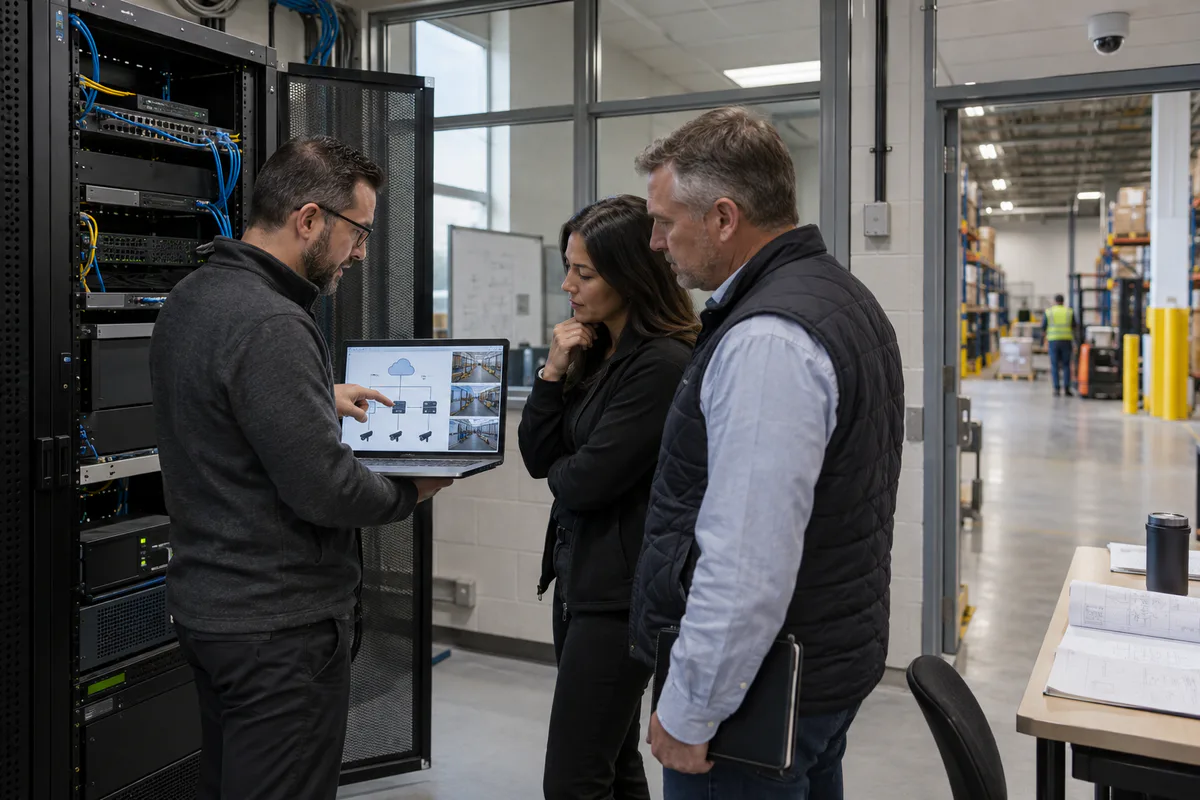
Ask every supplier to show you, in one simple drawing, where the video goes from the camera and where it is saved. Include the local recorder or camera storage, internet connection, cloud service, mobile app and any backup copy. If the drawing is unclear, the responsibilities and costs are likely to be unclear too.
The current AXIS Camera Station Edge feature guide provides one real product example. It describes cloud-based management and remote access alongside local and optional cloud recordings, plus a limited offline mode. Other products divide those functions differently, which is why the exact quoted system matters more than the word “cloud.”
What happens to your footage when the internet goes down?
Some cloud-managed systems keep recording locally during an outage. Others lose recording, remote access or management functions. You need the supplier to show exactly what happens in the system being quoted.
Consider an illustrative multi-store business. The owner wants to review every location from one app, but each store also relies on its internet connection for point-of-sale transactions. A suitable design could keep recording at each store while using the cloud for central viewing. The important promise is not “cloud access.” The important promise is that store operations and recording continue in the agreed failure conditions.
Ask these questions in plain language:
- If the internet stops now, will every camera keep recording?
- Where will that footage be saved, and for how many hours or days?
- Can someone at the site still view or export it?
- When service returns, will missing footage upload automatically?
- Will your team receive a clear warning that remote access or recording has changed?
- What happens if the local recorder fails instead?
- What continues working if the provider has an outage?
- What happens when a subscription expires?
Do not accept “the cameras still work” as a complete answer. A powered camera may still show a live image while failing to save it where you expect.
Before final payment, ask the installer to disconnect the internet at an approved test site, create a known event and restore the connection. Confirm that the footage exists, the time is correct, alerts are understandable and any delayed upload completes. A qualified security or network professional should plan this test so it does not disrupt other business systems.
Will cloud video slow down your other business systems?
Cloud recording can use a significant share of your upload connection, while local recording usually keeps routine camera traffic inside the site. The amount depends on the actual cameras and recording settings, so a generic bandwidth promise is not enough.
Resolution, frame rate, compression, movement, lighting and audio all affect usage. A quiet office corridor in daylight can behave differently from a busy loading area at night. Remote viewing, exporting footage and uploading locally stored video after an outage can add short periods of heavier traffic.
The current AXIS Site Designer documentation shows how one manufacturer estimates bandwidth and storage using the camera model, scene, lighting, movement, video settings, schedule and retention. It is a useful example of the inputs your quote should contain. Your final design should use the quoted products and measurements from representative site conditions.
Ask for a bandwidth page that shows:
- expected routine upload for each site;
- the assumption for busy and low-light scenes;
- remote viewing and evidence-export traffic;
- post-outage upload or synchronization traffic;
- the site’s measured upload capacity; and
- capacity reserved for point of sale, phones, business applications and other priority services.
Our IP security camera network design guide explains the deeper network work, including switching, power, segmentation and recovery. As the buyer, your immediate question is simpler: can the supplier show that video and normal business traffic will coexist under realistic conditions?
What will each option cost you after the first year?
Compare five years of the same result, not the first invoice. Give every bidder the same number of sites, cameras, retention days, image-quality settings, users, support hours and expected growth.
Cloud proposals often move spending into per-camera or per-feature subscriptions. On-premises proposals often put more cost into recorders, servers and storage at the beginning. Both can create ongoing costs.
Ask each quote to separate:
| Cost you may face | Items to include |
|---|---|
| Initial project | Cameras, recorder or gateway, storage, switches, backup power, installation and training |
| Recurring service | Camera subscriptions, cloud storage, retention tiers, software support, analytics and service agreements |
| Connectivity | Internet upgrade, backup connection, firewall changes, data use and network support |
| Ongoing care | Updates, health monitoring, account administration, backups, storage replacement and support calls |
| Business change | New cameras, longer retention, another location, new integrations and additional users |
| Leaving the system | Exporting video and configuration, ending accounts, deleting provider copies and moving to another platform |
Ask which prices can rise at renewal, which features stop if you reduce the subscription, and whether a closed site or removed camera can reduce the commitment. Include your employees’ time. A system that removes server work from IT may justify part of its recurring charge. A local system that your team already knows how to support may avoid that charge without creating extra labour.
No universal rule makes cloud cheaper or on-premises cheaper. The useful comparison shows what you receive, who performs the work and what happens when your needs change.
Will your existing cameras still work?
They may, but “compatible” can mean only that the new system receives a basic video stream. Features such as motion events, analytics, audio, pan-tilt-zoom controls, camera health, local recording recovery and software updates may behave differently.
ONVIF Profile T defines advanced IP-video capabilities including H.264 and H.265 streaming, imaging settings, motion and tamper events, metadata and selected controls for conformant products. ONVIF support can help, but it does not prove that every function works between your exact camera firmware and the proposed service.
Give the supplier a current camera list and ask for a result beside every model:
- fully supported for the features you need;
- supported with a stated limitation;
- requires a gateway, licence or update; or
- should be replaced.
Then test a representative older camera and a current camera. Confirm live view, playback, event search, export and any analytics or controls your team actually uses. Reusing cameras can reduce disruption and cost, but only when the functions you rely on survive the move.
Who controls your recordings, and where do they go?
You remain responsible for deciding why your organization records video, who may see it and how long it is kept. A service provider can operate part of the system, but the contract should make your control and the provider’s duties clear.
The Office of the Privacy Commissioner of Canada’s private-sector video-surveillance guidelines recommend a defined purpose, limited collection, secure storage, restricted access, documented disclosure, appropriate retention and secure destruction. The guidance covers overt surveillance of the public in publicly accessible private-sector areas and excludes employee and covert surveillance. Your organization should confirm which laws and sector rules apply.
If a provider processes recordings, the OPC’s current privacy and outsourcing guidance says organizations subject to PIPEDA remain responsible for protecting personal information and should assess the provider’s safeguards. Information processed in another country is also subject to that country’s laws.
Ask the provider to name:
- the country and region used for primary recordings;
- backup and disaster-recovery locations;
- other companies that can process or support the service;
- who can view video or administer your account;
- which viewing, export, deletion and configuration actions are logged;
- how retention and secure deletion are verified; and
- how you retrieve recordings and configuration when the contract ends.
Cloud storage does not automatically mean your video leaves Canada. Local storage does not automatically make it private or secure. The controls, access and operating practices determine the result.
The Canadian Centre for Cyber Security’s 2024 recommended cloud contract clauses address data location, shared responsibilities, access, retention, destruction and service exit. The guidance also tells buyers to consider the cost and difficulty of extracting their data. It is general procurement guidance and legal advice should come from a qualified adviser.
How much work will your own team have to do?
Choose a model your organization can operate after installation. Ask who performs each recurring task and how you know it was completed.
With an on-premises system, your organization or service provider may need to maintain recorder hardware, storage, operating systems, backups and local monitoring. A cloud service may shift some platform work to the provider while leaving your team responsible for cameras, local networking, user access, privacy decisions and incident handling. A hybrid system divides the work and needs a clear owner for both sides.
Write the role beside each task:
- add and remove users;
- review camera and recording health;
- install camera and application updates;
- replace failed storage or site hardware;
- investigate a cybersecurity alert;
- preserve and export incident footage;
- change retention or image quality;
- test internet-outage behaviour; and
- recover or migrate the system.
If the quote says the service is “fully managed,” request the exact task list, response hours, exclusions and evidence you will receive. A named owner is more useful than a broad service label.
What should you ask before accepting a quote?
Use the same short list for every supplier so the answers are comparable:
- Where is video saved during normal operation?
- What keeps working when the internet, provider or local recorder fails?
- How much local recording time is available during an outage?
- What upload capacity does each site need, and how was it calculated?
- Which existing cameras and features will work without replacement?
- What will we pay initially, annually, when we grow and when we leave?
- Which system-care tasks belong to us, the installer and the cloud provider?
- Where are recordings, backups and support copies stored?
- How do we export our video, audit history and configuration?
- What stops working if we cancel the subscription?
- How will you prove retention and deletion settings?
- Which outage and recovery tests are included before acceptance?
Ask for written answers and a demonstration of the highest-risk promises. Product brochures can help you understand features. They do not show how the quoted design behaves on your sites.
How can you choose without overbuying?
Shortlist only the options that meet your non-negotiable needs, then pilot the one with the most uncertainty.
Use this four-step decision:
- Describe your operating need. Record the sites, cameras, footage quality, retention, remote users and incidents the system must support.
- Set your deal-breakers. Examples include local recording during internet loss, an approved data region, support for existing cameras or a maximum annual commitment.
- Compare the same five-year workload. Include equipment, subscriptions, connectivity, staff effort, maintenance, growth and leaving the service.
- Test before a broad rollout. Verify recording, playback, export, outage recovery, user access and invoice assumptions at a representative site.
Your staff can judge whether remote viewing, searching and exporting feel manageable. Qualified security, privacy and network professionals should validate storage capacity, cybersecurity, data obligations, electrical resilience and failure testing.
Our commercial security camera service can help you turn those business needs into comparable cloud, on-premises and hybrid proposals. Securitron Canada can also help plan a limited GTA pilot before you commit the rest of your locations.
Frequently Asked Questions
Neither model is automatically better. Cloud may reduce customer-managed server work and simplify multi-site administration. On-premises recording can reduce wide-area bandwidth dependence and give the customer direct control of local infrastructure. Compare the exact proposed design against outage, retention, privacy, support, cost and exit requirements.
It depends on the product and configuration. Some systems record locally at the camera or a site appliance and synchronize later; others lose recording, management or remote access when connectivity fails. Require the supplier to demonstrate what continues, how long local capacity lasts and how recovery is verified.
Calculate bandwidth from the quoted cameras, resolution, frame rate, codec, compression, scene activity, audio, recording schedule, live viewing, export and recovery traffic. Use manufacturer planning data, then validate representative daytime, low-light and busy-scene streams on the real site connection with business traffic present.
Compatibility depends on the exact camera model, firmware, VMS service, gateway and required functions. A basic stream may work while analytics, metadata, audio, edge-storage recovery or device management does not. Verify the applicable ONVIF profile or native driver and test every required workflow before committing.