Access Control Governance for Multi-Tenant Buildings
Define landlord, tenant and contractor access-control responsibilities with clear zones, approvals, privacy boundaries and turnover tests.
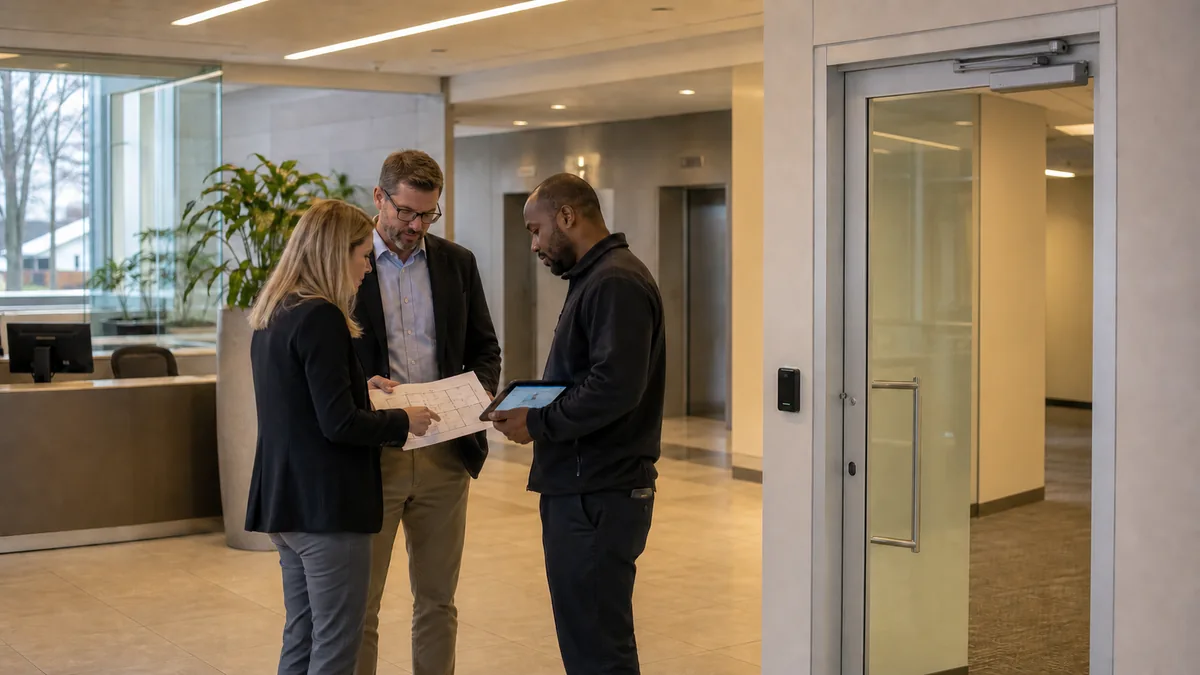
Tenant turnover, shared entrances and contractor activity can make access authority unclear long before a technical failure occurs. A property manager may control the lobby, parking and building systems while each tenant manages its own staff. Service contractors cross both boundaries. When the platform does not reflect those responsibilities, a convenient permission can quietly become a building-wide exception.
Use one documented authority model: building management controls the platform, common areas and immutable safety rules; tenant administrators control approved users, suite zones and schedules; contractors receive sponsored, task-specific access that expires automatically. Connect every role to an accountable owner, an approval path, an audit trail and a removal event. This framework gives property managers and building operators a practical basis for configuring commercial access control across a multi-tenant property.
1. Map the physical and administrative boundaries
Start with a door and zone register. Mark which spaces are controlled by the landlord, which are dedicated to one tenant and which require shared authority. The drawing should include more than office suite entrances. Parking gates, elevators, loading areas, roof access, electrical rooms, telecommunications rooms, waste areas, amenities and after-hours entrance routes often create the difficult decisions.
For each controlled opening or zone, record:
- the operational purpose;
- the property party responsible for the space;
- who may approve regular access;
- who may approve an exception;
- the expected schedule and expiry rule;
- the door hardware and normal locking behaviour;
- the responsible response team for alarms or forced-door events;
- the record owner and permitted viewers; and
- the turnover event that requires a review.
Do the same for administrative boundaries. Gallagher’s end-user access-control guidance describes operator groups and privileges as the controls that determine what a system operator can view and edit. It also distinguishes access zones from access groups. Those product concepts support a broader governance rule: the authority to operate the system should be scoped separately from the permission granted to a cardholder.
A tenant administrator may be allowed to issue access for the tenant suite while remaining unable to view another tenant’s users, events or schedules. A security desk operator may need to view common-area alarms without gaining the ability to rewrite access groups. Write these boundaries before configuring the platform.
2. Establish an authority matrix before creating access groups
An authority matrix turns lease and operating responsibilities into explicit system rules. Building management should approve it with property operations, security, IT, privacy and life-safety stakeholders where their responsibilities apply.
| Area or action | Building management | Tenant administrator | Contractor or service provider |
|---|---|---|---|
| Building perimeter and main entrances | Owns rules, schedules and exceptions | Assigns approved tenant users within policy | Receives scoped, expiring access |
| Shared lobby, parking, elevators and amenities | Defines eligible groups and hours | Uses predefined groups or submits requests | Access tied to the work order |
| Tenant suite | Sets platform boundary and base policy | Manages named users, groups and schedules | Access sponsored by the tenant or property manager |
| Roof, electrical, fire and building-service rooms | Retains approval and audit control | No routine delegation unless formally authorized | Limited to named task, route and time window |
| Platform administrators and integrations | Retains ownership and recovery authority | Limited tenant-scoped administration | No administrative authority unless separately contracted and controlled |
| Emergency and life-safety configuration | Retains protected change control | No unilateral change | Maintains only under approved procedure |
The matrix should identify a primary accountable role and a backup for each decision. Avoid joint ownership with no tie-breaking rule. If a tenant requests after-hours loading access, the workflow should identify who checks the request, which common-area group applies, how long it remains valid and who reviews the resulting event if something goes wrong.
Permission design should also reflect the building’s operating documents. Leases, property rules, vendor contracts and emergency procedures may allocate responsibilities differently. Treat the matrix as an implementation record that must be checked against those approved documents, rather than a substitute for legal or code review.
3. Give each role the minimum authority needed
Use role-based groups instead of assigning individual people directly to many doors. A useful hierarchy separates platform administration, operator visibility and cardholder access.
Building management
The building role should retain control of:
- system owner and recovery accounts;
- common-area zones and master schedules;
- high-risk spaces and cross-tenant permissions;
- emergency rules and protected door configurations;
- tenant administrator creation and removal;
- system-wide integrations, exports and retention settings;
- audit review and exception approval; and
- the onboarding and offboarding of each tenant.
Use named administrator accounts. Shared administrator credentials weaken accountability and make it harder to determine who approved or changed access.
Tenant administrators
Tenant administrators should work inside a defined boundary. They may create and disable their own users, assign tenant-approved suite groups and manage limited schedules. They should not see another tenant’s roster, event history or access groups. Access to landlord-controlled service areas should use predefined groups or a request process.
Every tenant administrator needs a sponsor and a periodic review date. Include the tenant administrator in the tenant turnover workflow, since leaving this account active can preserve the ability to create new credentials after occupancy ends.
Contractors
Contractor access should answer five questions: who sponsored it, what work is authorized, where it applies, when it applies and when it expires. Use the narrowest route and schedule that supports the work. A contractor credential should not confer user-administration rights or permit the holder to delegate access.
For recurring vendors, an annual contract does not justify continuous access to every service area. Create task or service groups, require a current sponsor and review the need at an appropriate interval. Keep emergency access separate so an urgent callout follows an approved escalation path.
4. Build access groups that survive turnover
Direct person-to-door assignments accumulate exceptions that are difficult to review. Build groups around approved functions, zones and schedules. Examples include “Tenant A staff, suite and weekday lobby,” “Property operations, mechanical rooms,” and “Elevator contractor, service route, approved visit.” Use neutral identifiers in integrations and reports where full personal details are unnecessary.
Apply these controls:
- One accountable owner per group. The owner approves membership and confirms the group remains necessary.
- Predefined shared-area groups. Tenants select from building-approved common-area permissions instead of constructing unrestricted combinations.
- Automatic expiry for temporary access. Visitors, contractors, project staff and exceptions should close without depending on memory.
- Separate sensitive zones. Roofs, electrical rooms, server rooms, fire-control areas and key storage should not inherit ordinary suite or common-area access.
- Documented exceptions. Record the reason, approver, start date, expiry date and review owner.
- Test accounts. Use representative accounts to prove tenant and operator boundaries without exposing another tenant’s live data.
Inheritance deserves special attention. A broad “all common areas” group may quietly include a new amenity or service corridor added later. Require a review whenever zones are added to an inherited group. For sensitive changes, use a second approver or a scheduled change window.
This governance layer belongs in the property’s broader commercial property management security plan, alongside video, intercom, visitor management, response and maintenance responsibilities.
5. Separate tenant data and protect administrative records
Access events, credential identifiers, names and administrator actions can contain personal information. Configure visibility according to purpose. Tenant administrators should normally see the people and events they are responsible for. Building operators may need common-area events for security and operations. Neither role automatically needs unrestricted access to another tenant’s full roster or suite activity.
The Office of the Privacy Commissioner of Canada’s identification and authentication guidelines advise organizations to collect only the identity attributes needed for the transaction, choose authentication strength according to risk, maintain appropriate transaction records and remain accountable when identity management is outsourced. The OPC’s PIPEDA safeguards guidance also emphasizes need-to-know access, appropriate protection and regular review.
Translate those principles into platform controls:
- limit each tenant administrator’s search, export and reporting scope;
- protect audit logs as operational and personal information;
- record administrative changes, including group membership and schedule changes;
- define who can export data and for which approved purpose;
- set retention and deletion rules for credentials, events and audit records;
- review integrations that synchronize employee or visitor data; and
- confirm the service provider’s access, support process and account-removal procedure.
Privacy obligations depend on the organization, province, relationship and purpose. Obtain appropriate privacy and legal advice for the specific property, especially where employee monitoring, biometrics or cross-organization disclosures are involved.
6. Protect egress and door operation from permission changes
Cardholder authorization and safe egress are separate design concerns. A tenant administrator changing a schedule should not be able to alter an approved egress function, fire-system interface or protected door mode.
Ontario’s current Fire Code, O. Reg. 213/07 states in Article 2.7.2.2 that specified exit and access-to-exit doors must generally be readily openable from the inside with no more than one releasing operation and without keys, special devices or specialized knowledge. It also sets conditions for electromagnetic locking devices and certain released locking arrangements. Article 2.7.2.3 requires periodic operability checks for doors forming part of a means of egress, subject to its stated exceptions.
Door hardware selection also affects behaviour during power loss and alarm conditions. ASSA ABLOY’s electrified mortise-lock documentation illustrates that electrified locks can have fail-safe or fail-secure functions and may include request-to-exit or latch-monitoring options. That product page does not determine which function is permitted or appropriate for a particular Ontario opening.
Keep an approved door schedule that records the hardware, egress operation, power-loss behaviour, fire-alarm relationship, monitoring points and test method. Restrict changes to qualified, authorized personnel. Have the applicable design professionals, code consultants and authority having jurisdiction review building-specific requirements where necessary.
7. Make lifecycle handoffs executable
Each access process needs a trigger, owner, deadline and evidence of completion.
New tenant onboarding
Approve the tenant’s zones, schedules, administrator sponsors, common-area groups, privacy scope and after-hours process. Test a normal user, a tenant administrator and a denied cross-tenant action before occupancy.
Staff changes and lost credentials
The tenant sponsor should report departures and losses through an agreed channel. Define response expectations for routine departures, immediate terminations and lost credentials. Disable the credential first, then investigate related events when the circumstances require it.
Contractor work
Require a sponsor, work reference, approved route and automatic expiry. For after-hours work, record the response contact and alarm-handling process. Close the credential when the task ends.
Tenant turnover
Use a dated checklist to disable all tenant users and administrators, remove mobile tokens and integrations, close exceptions, recover physical credentials or keys, and address permitted record exports or deletion. Test that former accounts cannot enter the suite or shared areas. Confirm the incoming tenant starts with approved groups instead of inherited permissions.
Assign the turnover owner early. Waiting until the final occupancy day creates pressure to preserve broad access “temporarily,” which can leave unknown permissions active.
8. Define incident and emergency authority
Write down who can perform each urgent action:
- disable a lost credential;
- place a door in an approved temporary mode;
- grant emergency contractor access;
- unlock or secure a defined group of doors through an approved procedure;
- acknowledge or escalate forced-door and held-door alarms;
- export an event record for an investigation; and
- restore normal configuration after the incident.
Provide least-privilege emergency roles and test them. A security desk may need a specific door-release function and alarm workflow without receiving full configuration rights. Building management should review every emergency override after use, confirm restoration and preserve the relevant audit record.
Document the offline plan as well. Identify which decisions continue at door controllers, which require the central platform, how credentials behave during a network interruption and who verifies recovery. Match the plan to the selected system, approved door design and building operations.
9. Use acceptance tests to prove the governance model
Run tests with representative accounts before launch and after material changes. Record the expected result, actual result, date, tester and evidence.
| Test | Expected result |
|---|---|
| Tenant A administrator searches for Tenant B | No Tenant B users, events or groups are visible |
| Tenant administrator creates a normal user | User can receive only approved tenant and shared-area groups |
| Tenant attempts to grant a building-service zone | Request is denied or routed to building approval |
| Contractor credential reaches its expiry | Access is denied without manual cleanup |
| Contractor presents at an unapproved door | Access is denied and logged according to policy |
| Security desk reviews a common-area alarm | Operator can perform the approved response without configuration authority |
| Authorized technician tests an egress door | Door and release behaviour match the approved schedule and applicable requirements |
| Tenant turnover workflow completes | All tenant users, administrators, integrations and exceptions are disabled or removed as specified |
| Platform or network interruption occurs | Documented controller and recovery behaviour is observed |
| Audit reviewer investigates a change | Named actor, time and material permission change can be reconstructed |
Repeat boundary tests after software upgrades, integrations, new common areas, tenant expansions and administrator changes. A successful login proves that an account works. The full test set proves that authority stops where it should.
10. Ask vendors for governance evidence
Use procurement questions that expose administrative limits and lifecycle responsibilities:
- Can each tenant administrator be restricted to its own people, groups, events and reports?
- Which privileges control viewing, editing, exporting and platform administration separately?
- Can shared-area access use building-approved groups and approval workflows?
- Can temporary credentials and exceptions expire automatically?
- Are administrator actions and permission changes logged with a named account and timestamp?
- How are integrations, mobile credentials and tenant data removed at turnover?
- What continues to operate at controllers during network or server interruption?
- Which door settings are protected from tenant-level changes?
- How are software support accounts approved, monitored and removed?
- What configuration backup, test evidence and as-built documentation are delivered?
- How will future zones or tenants be added without exposing other tenants’ records?
- Who owns recurring reviews, emergency overrides and post-incident restoration?
Ask vendors to demonstrate these controls with sample landlord, tenant and contractor accounts. Include the accepted authority matrix, lifecycle workflows and test results in the operating handover.
Clear governance lets a multi-tenant access-control system change with the building while preserving accountability. Securitron Canada can help GTA commercial property teams translate approved responsibilities into access zones, roles, workflows and commissioning tests.
Frequently Asked Questions
The property owner or designated building operator should normally retain platform-level administration, shared-area rules, emergency settings, audit oversight and tenant lifecycle control. Tenant administrators can receive limited authority over their own people, suite zones and approved schedules. The exact division should be documented in leases, policies, service contracts and the system permission matrix.
They can administer shared-area access only within limits approved by building management. A safer model gives tenants predefined shared-area groups or a request workflow, while building management retains control of sensitive common zones, master schedules and exceptions.
Tie each contractor credential to a sponsor, work order, approved zone, schedule and automatic expiry. Prevent contractors from creating users or changing permissions. Review emergency and after-hours access separately, then close the credential when the work or approved period ends.
Use a dated turnover checklist that disables tenant administrators, users, mobile credentials, integrations and exceptions. Confirm shared-area permissions are removed, permitted records are handled according to policy, physical keys or credentials are returned, and the suite is tested under the incoming tenant's approved configuration.