Commercial Security Camera Signage in Ontario
Plan truthful Ontario commercial camera notices with clear purpose, responsible organization, contact routes, placement and review controls.
A camera sign can be visible and still fail its purpose. “Premises under surveillance” does not identify the responsible organization, explain why images are collected or give a person a usable way to ask a question. A sign can also promise continuous monitoring when staff review footage only after an incident.
Property and privacy managers should design notice from the approved surveillance programme. Confirm the governing context, document the purpose and actual system behaviour, write a concise entrance notice, provide a second layer with fuller details, place notice before collection and test every approach. This method helps an organization explain its commercial security cameras truthfully and connects signage to a broader Ontario video-surveillance privacy programme.
This article provides operational planning guidance. Privacy, employment, residential, health, public-sector and other legal duties can differ. Use qualified privacy or legal advice for the organization and activity.
1. Identify the organization and legal context first
The property name on the entrance may differ from the organization responsible for the video. A landlord, property manager, tenant, security provider or public institution may operate different cameras in adjacent spaces. The notice programme should identify which entity controls each collection and who answers questions about it.
Start a context record with:
- legal and operating name of the responsible organization;
- property, entrance, zone and camera group covered;
- people likely to be captured, including visitors, customers, tenants, contractors and employees;
- business purpose and approved uses;
- recording, live-view, audio and analytics status;
- governing law, policy and legal review owner;
- privacy contact and backup route; and
- date the context was approved.
The Office of the Privacy Commissioner of Canada’s current PIPEDA overview explains that the federal law applies to private-sector organizations across Canada when they collect, use or disclose personal information in commercial activity, subject to provincial and sector-specific rules described by the regulator. The overview also distinguishes employee information at federally regulated businesses. Determine applicability for the actual organization before placing any “PIPEDA compliant” statement on a sign.
Ontario public institutions operate under a different framework. The Information and Privacy Commissioner of Ontario’s video-surveillance guidance page states that its guidance addresses provincial and municipal institutions under Ontario privacy legislation. The page also warns that parts of the 2015 guidance are under review following 2026 changes to FIPPA and MFIPPA, with amendments taking effect on several dates. Public institutions should check the current law, guidance and advice from their freedom-of-information and privacy coordinator.
Employee-facing cameras need their own assessment and communications. A public entrance sign may inform employees that a camera exists while leaving employment, labour, electronic-monitoring and workplace privacy questions unresolved. Use a separate workplace video-surveillance privacy assessment for that decision.
2. Build sign wording from the approved purpose
Write the surveillance purpose before writing the sign. The federal PIPEDA Schedule 1 principles require an organization to identify purposes at or before collection, document them and make a reasonable effort to ensure people understand how information will be used. The current consolidation was accessed in August 2026 and was last amended in March 2025.
Connect the sign to a camera-purpose schedule. For each notice zone, record:
| Programme fact | Sign or linked-notice consequence |
|---|---|
| Responsible organization | Use the entity that controls the collection, with a recognizable property reference where helpful |
| Purpose | State the real purpose in concise language that constrains use |
| Recording status | Say “recorded” only when the zone records video |
| Live monitoring | Describe live monitoring only when the approved operating model provides it |
| Audio | Address audio expressly in the detailed notice and legal review when enabled |
| Analytics | Explain material analytics or identification uses through an appropriate notice layer |
| Contact | Provide a maintained role, phone, email or web route with an accountable owner |
| Request process | Link the person to the correct access, enquiry or complaint workflow |
The purpose needs enough detail to guide actual use. “For security” can cover almost any later activity. A clearer purpose might concern investigating unauthorized entry, property damage or safety incidents at a defined entrance. The final wording should reflect the approved legal and privacy analysis.
Create a traceability ID that links the sign, privacy notice, camera schedule, field-of-view drawing and policy. That ID can remain internal. Its value appears when a camera moves or the organization changes its practices.
3. Use a layered notice model
An entrance sign has limited space. Give it the facts a person needs immediately, then provide a second layer for detail.
Layer 1: notice at the monitored boundary
A practical private-sector planning template is:
Video surveillance is in use in this area. [Responsible organization] collects images to [specific approved purpose]. Questions or access requests: [privacy contact, phone or short web address].
This template needs review for the organization and context. It does not establish legal sufficiency by itself.
The federal Office of the Privacy Commissioner’s overt private-sector video guidance recommends clear and understandable notice before individuals enter the premises. It says signs should include a contact for questions or access requests. The guidance also calls for a defined business reason, limited fields of view, restricted access, secure storage, deletion and periodic evaluation.
Layer 2: detailed public privacy notice
The linked or readily available notice can explain:
- responsible organization and privacy contact;
- purpose and categories of monitored areas;
- whether the system records, receives live monitoring, captures audio or uses analytics;
- general uses and disclosures;
- access-request and complaint routes;
- retention approach without exposing sensitive system details;
- service-provider involvement where relevant;
- effective date and last review; and
- accessible alternatives to the online notice.
A short web address can work better than a complex path. A QR code can be an additional route. Keep a phone or staffed enquiry option for people who cannot or do not want to use a smartphone.
Public-institution notice
The IPC’s downloadable Guidelines for the Use of Video Surveillance state that FIPPA section 39(2) and MFIPPA section 29(2) require public institutions to provide the legal authority, principal purpose and the title, business address and business telephone number of a public official who can answer questions. The 2015 document recommends prominent signs at monitored perimeters and key internal locations, with required details readily accessible on the institution’s website. The IPC landing page flags the guidance for review, so institutions should validate the current requirement before deployment.
4. Make every claim on the sign truthful
Conduct a line-by-line claim test before approval.
| Proposed wording | Evidence required |
|---|---|
| “Video recording in use” | Recording is enabled for the zone and verified on the recorder or approved service |
| “Monitored” | The approved operating model defines who monitors, when and what response follows |
| “24-hour monitoring” | Continuous coverage, staffing, alert handling, outage procedure and service commitment support the claim |
| “For safety” | The programme has a defined safety purpose, workflow and authorized use |
| “Images may be disclosed” | The detailed notice and policy describe permitted disclosure and approval |
| “Contact privacy office” | The channel is staffed, tested and able to route camera questions and requests |
Avoid deterrence language that exceeds the service. A sign should not imply immediate human response where the system only records. It should not claim audio, facial recognition or licence-plate analysis unless those functions are approved, active and accurately explained.
Check the inverse as well. If the system captures audio, applies analytics or follows people across several zones, a simple camera pictogram may leave a material practice unexplained. Escalate the design to privacy and legal review.
Keep marketing claims out of the privacy notice. Statements about guaranteed safety, crime prevention or universal legal compliance are difficult to support and can distract from the collection facts.
5. Place notice before collection
Survey every path, including doors. A person may enter a camera’s field of view from a parking garage, elevator, loading area, connected building, tenant corridor, stair discharge or after-hours entrance.
For every notice zone, walk:
- main public approach;
- designated accessible route;
- employee and contractor entrance;
- parking pedestrian and vehicle approach;
- loading and courier route;
- elevator and stair arrival;
- connection from an adjoining building or tenant area; and
- temporary route used during construction or events.
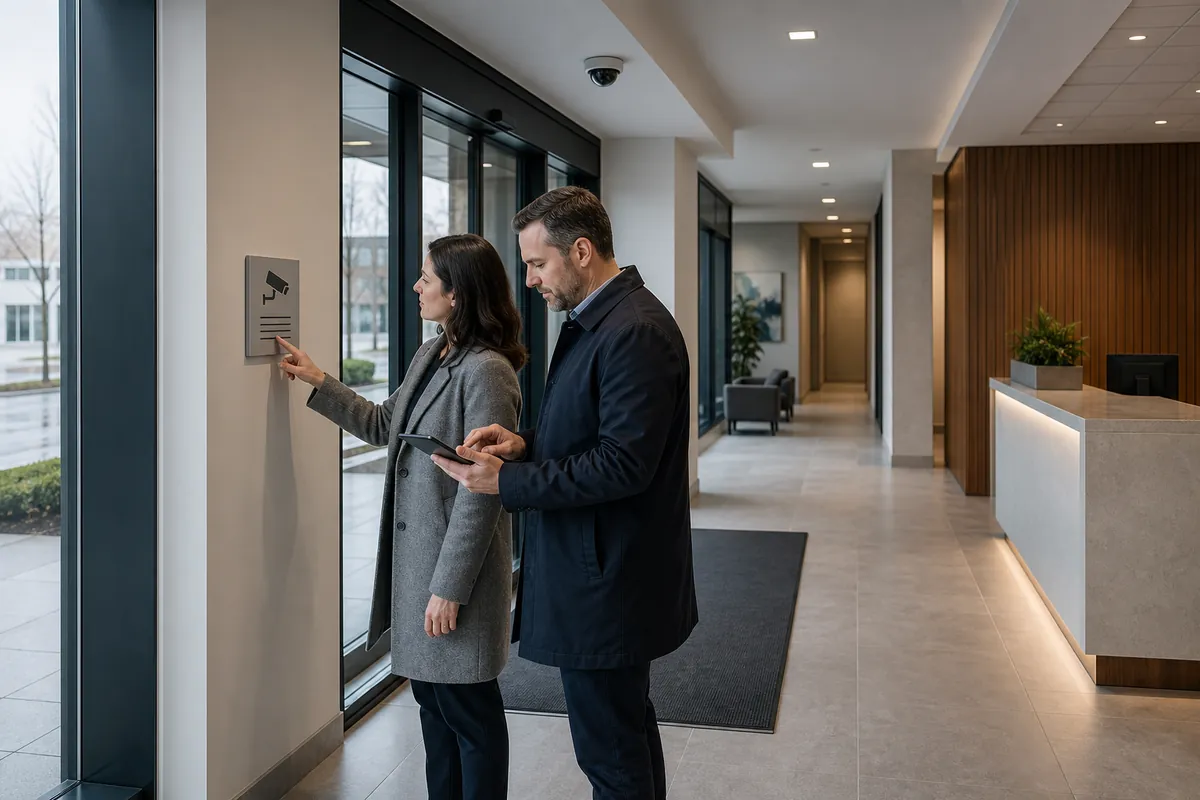
The OPC guidance says notice should appear before people enter the premises where their images might be captured. The IPC public-sector guidance recommends signs at the perimeter of monitored areas and key locations within them. Translate those principles into a site drawing that shows the field-of-view boundary, sign location and each approach.
One sign can serve several cameras where it clearly informs people entering one defined monitored zone. Separate notice may be necessary where a new collection begins, the responsible organization changes, the purpose differs or an alternate path bypasses the original sign. Make that decision from the actual site and governing context.
6. Design for comprehension and accessibility
A notice succeeds when people can detect, read and act on it under real conditions. Use plain language, a strong heading, high contrast, readable type, adequate spacing and a familiar language-neutral camera symbol. Keep the essential message visible without requiring a phone.
Test these conditions:
- viewing distance and walking speed;
- sign height from standing and seated positions;
- daylight, night lighting, glare and reflected glass;
- rain, snow, salt, dust and seasonal foliage;
- doors held open or closed;
- crowd and queue positions;
- temporary displays, delivery carts and furniture;
- colour perception and low vision;
- language needs of regular users; and
- route for a person who cannot read the visual sign.
The IPC’s public-sector guidance recognizes that visual signs may not inform people with visual disabilities and says institutions should consider alternative forms of notice in relevant spaces. Treat that as a design prompt across properties. Reception scripts, audio information on request, accessible web content and trained staff can support the visual notice.
Avoid all-capital paragraphs and dense legal wording at the entrance. Put the immediate facts in Layer 1 and move detailed explanations to Layer 2. Privacy and legal teams should still approve the combined notice.
7. Give the contact route an operating procedure
A phone number on a sign creates work. Define who receives the contact, how identity is verified, which system and property records are searched, and when privacy or legal staff become involved.
Create scripts for common questions:
- Why is video collected here?
- Does the camera record audio?
- Is someone watching live?
- How long is footage kept?
- Who can see or receive it?
- How can I request footage containing my image?
- How can I raise a privacy concern?
- Which organization operates the camera?
Staff should answer from the approved policy and route case-specific questions. Avoid improvised promises about access, deletion or disclosure.
Test the channel before installing the sign. Call the number, send an email, open the short URL and follow the request path. Repeat the test periodically and after staffing, vendor, domain or phone changes.
The OPC’s private-sector guidance says organizations should be ready to answer who is watching, why, what is captured and what happens to recorded images. It also recommends procedures for access and for challenging compliance. A working contact route is therefore an operating control with an owner and service expectation.
8. Create a sign and notice register
Manage camera notices as controlled assets. Use a register containing:
- notice ID and current version;
- responsible organization;
- property, zone and approach served;
- linked camera and purpose-schedule IDs;
- exact approved wording and artwork file;
- language and accessible-format variants;
- dimensions, material, mounting and illumination;
- installation photograph and date;
- privacy and legal approvers;
- linked public-notice URL and owner;
- inspection interval;
- condition, obstruction and defect status; and
- change trigger and retirement date.
Store a photo from the approach along with any close-up. The approach image proves where the notice sits in relation to the monitored boundary. Avoid capturing identifiable visitors during the documentation process.
Assign inspection responsibility to a role that visits the site. Cleaning, construction, tenant changes and seasonal displays can block a sign while the privacy team remains unaware.
9. Trigger review when the system changes
Sign wording and placement can become inaccurate after a small technical change. Require a notice review when:
- a camera is added, moved, re-aimed or removed;
- recording hours or live monitoring change;
- audio, face search, licence-plate recognition or another analytic is enabled;
- a new system receives camera events or footage;
- purpose, authorized use, retention or disclosure changes;
- the responsible organization, privacy contact or service provider changes;
- an entrance, parking route or tenant boundary changes;
- an incident or complaint shows notice was missed or misunderstood; or
- law or regulator guidance changes.
The PIPEDA Schedule 1 principles say a new purpose should be identified before information is used for it and link identifying purposes to limiting use, disclosure and retention. Update the underlying privacy analysis first, then revise signs, the detailed notice, operator procedures and configuration together.
Use effective dates and version history. Remove obsolete signs promptly so two versions do not make conflicting claims at the same property.
10. Run notice acceptance tests
Acceptance should prove comprehension, accuracy and operations.
Placement test
- Walk every documented approach.
- Confirm the notice appears before the monitored boundary.
- Photograph the approach in representative day and night conditions.
- Check accessible and after-hours routes.
- Record obstructions and corrective work.
Content test
- Match the responsible organization to the approved camera schedule.
- Match purpose wording to the approved purpose.
- Verify recording, monitoring, audio and analytics claims against configuration and operating procedures.
- Confirm contact details and linked notice.
- Check public-institution statutory elements where applicable.
Usability test
- Ask representative users to identify who operates the camera, why video is collected and how to ask a question.
- Test reading distance, contrast, lighting and language.
- Test the non-visual or assisted notice route where required.
Workflow test
- Submit a fictional enquiry through each channel.
- Confirm it reaches the right owner.
- Verify the response uses approved information.
- Record response time, defect and retest result.
Change-control test
- Change a fictional camera purpose or route on paper.
- Confirm the process identifies every affected sign, web notice, policy, drawing and operator instruction.
- Verify obsolete versions are removed from the plan.
Record the expected result, observed result, evidence, tester, date, defect owner and closure. Repeat testing after material change and at the approved inspection interval.
Questions to ask camera vendors and sign providers
- Which responsible organization, purpose schedule and camera zones supplied the wording?
- Does the proposed notice distinguish recording, live monitoring, audio and analytics accurately?
- Which approaches and monitored boundaries were surveyed?
- How were accessible, after-hours, parking, loading and internal routes tested?
- What sign dimensions, contrast, material and lighting support the expected viewing distance?
- Which Layer 2 notice and contact process does the sign reference?
- Who owns enquiries, access requests, complaints and sign defects?
- How are sign versions linked to camera drawings and configuration?
- Which system changes trigger notice review and replacement?
- What acceptance evidence will be delivered for every installed location?
Truthful signage makes a surveillance programme easier to explain and operate. Securitron Canada can help property teams connect camera purposes, fields of view, notice locations and commissioning evidence into one reviewable plan.
Frequently Asked Questions
Start with a clear statement that video surveillance is in use, the responsible organization, a concise and accurate purpose, and a working contact route for questions or access requests. The exact content depends on the organization, governing law, system operation and context. Public institutions have specific statutory notice elements.
Place notice where a person can see and understand it before entering the monitored area. Survey every normal, accessible, after-hours, parking, loading and internal approach. Check sightlines, lighting, glare, seasonal obstructions and alternate paths under real operating conditions.
No. The organization still needs an appropriate purpose, limited collection, defined uses, access controls, retention, safeguards, request and complaint procedures, operator training and periodic review. Sign wording should be generated from those approved practices.
Use that wording only when it accurately describes the approved operation. Recorded video, live human monitoring, event-based review and automated alerts are different practices. Overstating them can mislead visitors and create an operating promise the organization cannot support.